F# and Monopoly Probabilities

My sons and I were playing Monopoly when we started discussing different strategies for property acquisition.  For example, should you try and get Park Place and Boardwalk for the large rent but low probability of someone landing on it or should you get the purples with a high hit chance but lower payout?

We decided to run a simulation and since I an teaching myself F#, we coded up a F# answer.  I created a F# Tutorial project and then added a .fsx file.  In that file, I first created a couple of variables – 1 of which is a .NET type:

  1. let tiles = [|0 .. 39|]
  2. let random = System.Random()


I then added a Community Chest function that returns a 1 in 16 chance of Going to Jail (board location 10) and a 1 in 16 chance of going to GO (board location 0).  This is not completely accurate because we don’t shuffle the deck after every draw – but it seems close enough.

  1. let communityChest x =
  2.     let communityChestDraw = random.Next(1,17)
  3.     if communityChestDraw = 1 then
  4.         0
  5.     else if communityChestDraw = 2 then
  6.         10
  7.      else
  8.         x


I then added a Chance function that did the same thing – with a lot more possibilities (Go to Boardwalk, go to the nearest railroad, etc…)

  1. let chance x =
  2.     let chanceDraw = random.Next(1,17)
  3.     if chanceDraw = 1 then
  4.         0
  5.     else if chanceDraw = 2 then
  6.         10
  7.     else if chanceDraw = 3 then
  8.         11
  9.     else if chanceDraw = 4 then
  10.         39
  11.     else if chanceDraw = 5 then
  12.         x – 3
  13.     else if chanceDraw = 6 then
  14.         5
  15.     else if chanceDraw = 7 then
  16.         24
  17.     else if chanceDraw = 8 then
  18.         if x < 5 then
  19.             5
  20.         else if x < 15 then
  21.             15
  22.         else if x < 25 then
  23.             25
  24.         else if x < 35 then
  25.             35
  26.         else
  27.             5
  28.     else if chanceDraw = 9 then
  29.         if x < 12 then
  30.             12
  31.         else if x < 28 then
  32.             28
  33.         else
  34.             12
  35.     else
  36.         x    


I then added a move function that handled going past the 39th tile and looping around past go and also the “Go to Jail” Tile:

  1. let move x y =
  2.     if x + y > 39 then
  3.         x + y – 40
  4.     else if x + y = 30 then
  5.         10
  6.     else if x + y = 2 then
  7.         communityChest 2
  8.     else if x + y = 7 then
  9.         chance 7
  10.     else if x + y = 17 then
  11.         communityChest 2
  12.     else if x + y = 22 then
  13.         chance 22
  14.     else if x + y = 33 then
  15.         communityChest 2
  16.     else if x + y = 36 then
  17.         chance 36
  18.     else
  19.         x + y


I then put it together with a simulation function that ran 10000 iterations:

  1. let simulation =
  2.     let mutable startingTile = 0
  3.     let mutable endingTile = 0
  4.     let mutable doublesCount = 0
  5.     let mutable inJail = false
  6.     let mutable jailRolls = 0
  7.     for diceRoll in 1 .. 10000 do
  8.         let dieOneValue = random.Next(1,7)
  9.         let dieTwoValue = random.Next(1,7)
  10.         let numberOfMoves = dieOneValue + dieTwoValue
  11.         
  12.         if dieOneValue = dieTwoValue then
  13.             doublesCount <- doublesCount + 1
  14.         else
  15.             doublesCount <- 0
  16.  
  17.         if inJail = true then
  18.             if doublesCount > 1 then
  19.                 inJail <- false
  20.                 jailRolls <- 0
  21.                 endingTile <- move 10 numberOfMoves
  22.             else
  23.                 if jailRolls = 3 then
  24.                     inJail <- false
  25.                     jailRolls <- 0
  26.                     endingTile <- move 10 numberOfMoves
  27.                 else
  28.                     inJail <- true
  29.                     jailRolls <- jailRolls + 1
  30.         else
  31.             if doublesCount = 3 then
  32.                 inJail <- true
  33.                 endingTile <- 10
  34.             else
  35.                 endingTile <- move startingTile numberOfMoves
  36.         
  37.         let endingTile = move startingTile numberOfMoves
  38.  
  39.         printfn "die1: %A + die2: %A = %A FROM %A TO %A"
  40.             dieOneValue dieTwoValue numberOfMoves startingTile endingTile
  41.  
  42.         startingTile <- endingTile
  43.         tiles.[endingTile] <- tiles.[endingTile] + 1

I hate the mutable keywords.  I don’t know enough about F# to not use it – but it seems that my code is a F# plate of spaghetti

I then spit out the results like this:

  1. let Aggregation =
  2.     for tile in tiles do
  3.         printfn "%A" tile


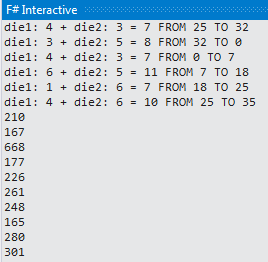
And sure enough, I got some results:

image


I then put these results into Excel where I added the tile names

image

and did a quick pivot table on property groups like this:

image


Note that the results seem wrong (or not 100% correct) because Tile #2 (Community Chest) can’t be the most landed on tile and I also had 30 out of the 10,000 times where the cop was the final resting place for a turn – which can’t happen.

If I was using C#, I would have done this in about 25% of the time and been 100% right using unit tests – but I am trying to make myself uncomfortable by learning F# and so I muddle through – often I find that  the process is more important than the results in learning.

In any event, I want to make the following changes:

  • 1) Create a tuple using the Tile Name, the PropertyGroup, and the Count
  • 2) Write the unit tests so that I am 100% correct
  • 3) Re-write it getting rid of the mutable keyword
  • 4) Aggregate the list using the F# constrcuts (versus using Excel)

The kids also want to put in the expected rate of return based on the rent for each tile and then the adjustment for each house.  That might be fun – but it is irrelevant for actually winning the game (the marginal benefit of additional analysis is very low).   As long as you know they key colors and can get monopolies on them (and prevent monopolies by your opponent), you will win more often than not.

F#: Different Syntaxes To Same End

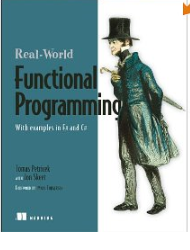
So have 5 books on F# and that I working through.  Ironically, the best place to learn F# is not a book but to work through the tutorials in TryFSharp.  The best book to use after going through TryFSharp is Jon Skeets Real-World Functional Programming

image

I am in the middle of Chapter 2 when Jon uses the following example to show high-order functions:

  1. let numbers = [1..20]
  2. let IsOdd x = x % 2 = 1
  3. let Square x = x * x
  4.  
  5. List.filter IsOdd numbers
  6. List.map Square numbers


I thought, how many ways do I know how accomplish the same thing?  In FSharp, I know 3 ways.  Way #1 is what the code sample above does.  Another way is to pipe-forward the function calls:

  1. let numbers = [1..20]
  2. let IsOdd x = x % 2 = 1
  3. let Square x = x * x
  4.  
  5. numbers
  6.     |> List.filter IsOdd
  7.     |> List.map Square


And finally, I can can use anonymous functions:

  1. let numbers = [1..20]
  2. numbers
  3.     |>List.filter(fun x -> x % 2 = 1)
  4.     |>List.map(fun x -> x * x)


Being that I am coming to F# from C#, I prefer option #2.

Machine Learning For Hackers: Chapter 1, Part 2

I then wanted to show the data graphically.   I Added a ASP.NET Web Form project to my solution and added a Chart to the page.  That Chart points to an objectDataSource that consumes the UFO Library method:

  1. <asp:Chart ID="Chart1" runat="server" DataSourceID="ObjectDataSource1">
  2.     <series>
  3.         <asp:Series Name="Series1" XValueMember="Item4" YValueMembers="Item1">
  4.         </asp:Series>
  5.     </series>
  6.     <chartareas>
  7.         <asp:ChartArea Name="ChartArea1">
  8.         </asp:ChartArea>
  9.     </chartareas>
  10. </asp:Chart>
  11. <asp:ObjectDataSource ID="ObjectDataSource1" runat="server"
  12.     SelectMethod="GetDetailData"
  13.     TypeName="Tff.MachineLearningWithFSharp.Chapter01.UFOLibrary">
  14. </asp:ObjectDataSource>


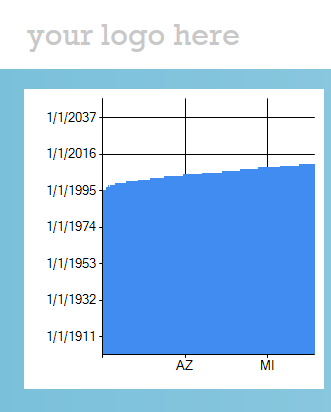
When I ran it, I got this:

image


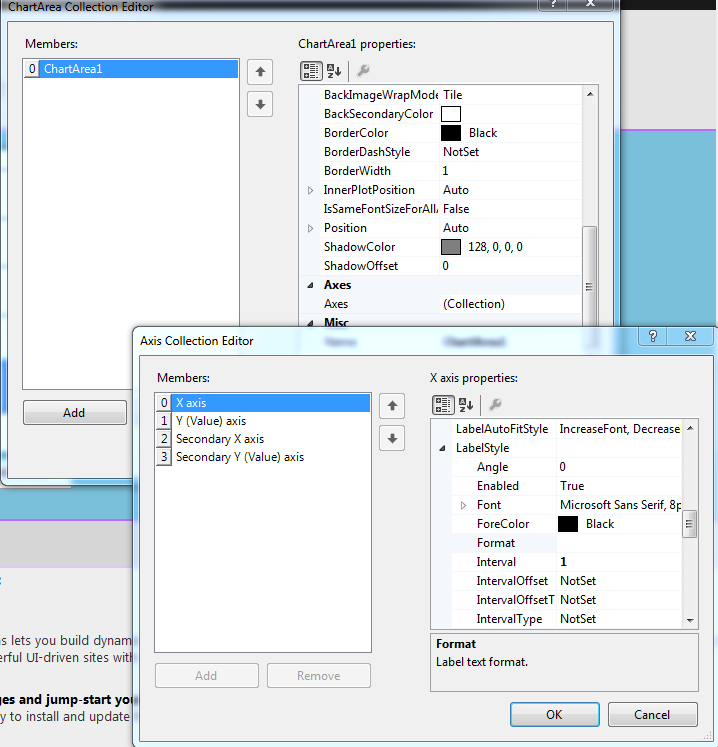
So that is cool that the Chart control can access the data and show ‘something’.  I then read this tutorial about how to show every state on the X Axis

image

Unfortunately, I was diving down too deep into the weeds of charting controls, which is really not where I want to be.  I then decided to build a function that aggregates the data

  1. member this.GetSummaryData() =
  2.     let subset =
  3.         this.GetDetailData()
  4.         |> Seq.map(fun (a,b,c,d,e,f,g) -> a,d)
  5.         |> Seq.map(fun (a,b) ->
  6.             a.Year,
  7.             b)
  8.  
  9.     let summary =
  10.         subset
  11.         |> Seq.groupBy fst
  12.         |> Seq.map (fun (a, b) -> (a, b
  13.             |> Seq.countBy snd))

Sure enough, when I look on my console app


image

I then decided to switch it so that the state would come up first and each year of UFO sightings would be shown (basically switching the Seq.Map)

  1. |> Seq.map(fun (a,b) ->
  2.     b,
  3.     a.Year)


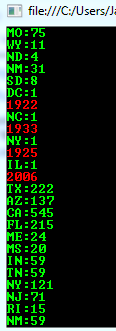
And now:

image

So then I added another method that only returns a state’s aggregate data:

  1. member this.GetSummaryData(stateCode: string) =
  2.     let stateOnly =
  3.         this.GetSummaryData()
  4.         |> Seq.filter(fun (a,_) -> a = stateCode)
  5.     stateOnly


And I changed the ASP.NET UI to show that state:

  1. <div class="content-wrapper">
  2.     <asp:DropDownList ID="StatesDropList" runat="server" Width="169px" Height="55px">
  3.         <asp:ListItem Value="AZ"></asp:ListItem>
  4.         <asp:ListItem>MD</asp:ListItem>
  5.         <asp:ListItem>CA</asp:ListItem>
  6.         <asp:ListItem>NC</asp:ListItem>
  7.  
  8.     </asp:DropDownList>
  9.     <br />
  10.     <br />
  11.     <asp:Chart ID="Chart1" runat="server" DataSourceID="ObjectDataSource1" Width="586px">
  12.         <series>
  13.             <asp:Series Name="Series1" XValueMember="item1" YValueMembers="item2">
  14.             </asp:Series>
  15.         </series>
  16.         <chartareas>
  17.             <asp:ChartArea Name="ChartArea1">
  18.                 <AxisX IsLabelAutoFit="False">
  19.                     <LabelStyle Interval="Auto" IsStaggered="True" />
  20.                 </AxisX>
  21.             </asp:ChartArea>
  22.         </chartareas>
  23.     </asp:Chart>
  24.     <br />
  25.     <asp:ObjectDataSource ID="ObjectDataSource1" runat="server"
  26.         SelectMethod="GetSummaryData"
  27.         TypeName="Tff.MachineLearningWithFSharp.Chapter01.UFOLibrary">
  28.         <SelectParameters>
  29.             <asp:ControlParameter ControlID="StatesDropList" DefaultValue="NC" Name="stateCode" PropertyName="SelectedValue" Type="String" />
  30.         </SelectParameters>
  31.     </asp:ObjectDataSource>
  32. </div>


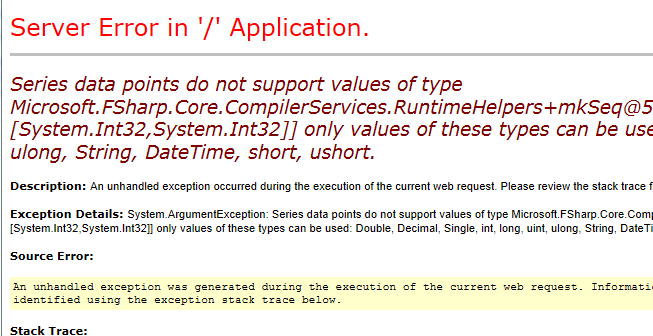
The problem is this:

image

I need to flatten the subTuple so that only native types are sent to the ODS.

F# Books

As part of my quest to learn a functional language, I picked 4 books about F#.  Being that I am a beginner, I dove right into this one:

image

Instead of the ‘hello world’ examples that you normally expect with a beginning book, it was a survey of the language constructs – and the code examples were not designed to teach rather they were used to illustrate a point –a subtle but important distinction.

After 3 chapters, I put that book down and picked up this book:

image

Now this is a great book.  It explains things in a progressive and hands-on fashion.  It’s too bad they called it “Expert” in the title – because it is actually a beginning book.  In fact, I would recommend ditching the Beginning F# book completely and diving right into the Expert F# book if you want to learn the language.

Machine Learning for Hackers: Using F#

I decided I wanted to learn more about F# so my Road Alert project.  I started by watching this great video.  After reviewing it a couple of times, I realized that I could try and do chapter 1 of Machine Learning for Hackers using F#.

Since I already had the data from this blog post, I just had to follow Luca’s example.  I wrote the following code in an F# project in Visual Studio 2012.

  1. open System.IO
  2. type UFOLibrary() =
  3.     member this.GetDetailData() =
  4.         let path = "C:\Users\Jamie\Documents\Visual Studio 2012\Projects\MachineLearningWithFSharp_Solution\Tff.MachineLearningWithFSharp.Chapter01\ufo_awesome.txt"
  5.         let fileStream = new FileStream(path,FileMode.Open,FileAccess.Read)
  6.         let streamReader = new StreamReader(fileStream)
  7.         let contents = streamReader.ReadToEnd()
  8.         let usStates = [|"AL";"AK";"AZ";"AR";"CA";"CO";"CT";"DE";"DC";"FL";"GA";"HI";"ID";"IL";"IN";"IA";
  9.                          "KS";"KY";"LA";"ME";"MD";"MA";"MI";"MN";"MS";"MO";"MT";"NE";"NV";"NH";"NJ";"NM";
  10.                          "NY";"NC";"ND";"OH";"OK";"OR";"PA";"RI";"SC";"SD";"TN";"TX";"UT";"VT";"VA";"WA";
  11.                           "WV";"WI";"WY"|]
  12.         let cleanContents =
  13.             contents.Split([|'\n'|])
  14.             |> Seq.map(fun line -> line.Split([|'\t'|]))
  15.             Seq.head()

I then added a C# console project to the solution and added the following code:

  1. static void Main(string[] args)
  2. {
  3.     Console.WriteLine("Start");
  4.     UFOLibrary ufoLibrary = new UFOLibrary();
  5.  
  6.     foreach (String currentString in ufoLibrary.GetDetailData())
  7.     {
  8.         Console.WriteLine(currentString);
  9.     }
  10.     Console.WriteLine("End");
  11.     Console.ReadKey();
  12. }


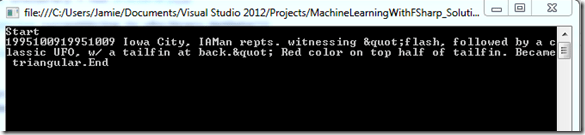
Sure enough, when I hit F5

image

How cool is it to call F# code from a C# project and it just works?  I feel a whole new world of possibilites just opened to me.

I then went back to the book and saw that they used the head function in R that returns the top 10 rows of data.  The F# head only returns the top 1 so I had to make the following change to my F# to duplicate the effect:

  1. let cleanContents =
  2.     contents.Split([|'\n'|])
  3.     |> Seq.map(fun line -> line.Split([|'\t'|]))
  4.     |> Seq.take(10)


I then had to remove the defective rows that had malformed data. To do this, I went back to the F# code and changed it to this

  1. let cleanContents =
  2.     contents.Split([|'\n'|])
  3.     |> Seq.map(fun line -> line.Split([|'\t'|]))


I then went back to the Console app to change it like this:

  1. Console.WriteLine("Start");
  2. UFOLibrary ufoLibrary = new UFOLibrary();
  3. IEnumerable<String> rows = ufoLibrary.GetDetailData();
  4. Console.WriteLine(String.Format("Number of rows: {0}", rows.Count()));
  5. Console.WriteLine("End");
  6. Console.ReadKey();


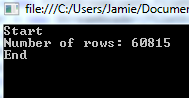
And I see this when I hit F5

image

So now I have a baseline of 61,394 rows.

My 1st step is to removed rows that do not have 6 columns.  To do that, I changed my code to this:

  1. Console.WriteLine("Start");
  2. UFOLibrary ufoLibrary = new UFOLibrary();
  3. IEnumerable<String> rows = ufoLibrary.GetDetailData();
  4. Console.WriteLine(String.Format("Number of rows: {0}", rows.Count()));
  5. Console.WriteLine("End");
  6. Console.ReadKey();

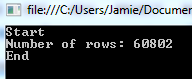
and when I hit F5, I can see that the number of records has dropped:
image

I then want to removed the bad date fields the way they did it in the book – all dates have to be 8 characters in length, no more, no less.

Going back to the F# code, I added this line

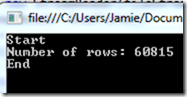
  1. |> Seq.filter(fun values -> values.[0].Length = 8)


and sure enough, fewer records in my dataset:
image

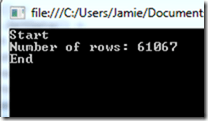
And finally applying the same logic to the second column – which is also a date

  1. |> Seq.filter(fun values -> values.[1].Length = 8)
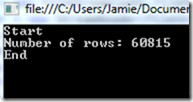
 

image

Which raises eyebrows, I assume there would be some malformed data in the 2ndcolumn independent of the 1st column, but I guess not.

I then wanted to convert the 1st two columns from strings into DateTimes.  Going back to Luca’s examples, I did this:

  1. |> Seq.map(fun values ->
  2.     System.DateTime.Parse(values.[0]),
  3.     System.DateTime.Parse(values.[1]),
  4.     values.[2],
  5.     values.[2],
  6.     values.[3],
  7.     values.[4],
  8.     values.[5])

Interestingly, I then went back to my Console application and got this

Error    1    Cannot implicitly convert type ‘System.Collections.Generic.IEnumerable<System.Tuple<System.DateTime,System.DateTime,string,string,string,string>>’ to ‘System.Collections.Generic.IEnumerable<string[]>’. An explicit conversion exists (are you missing a cast?)

So I then did this:

   1: var rows = ufoLibrary.GetData();

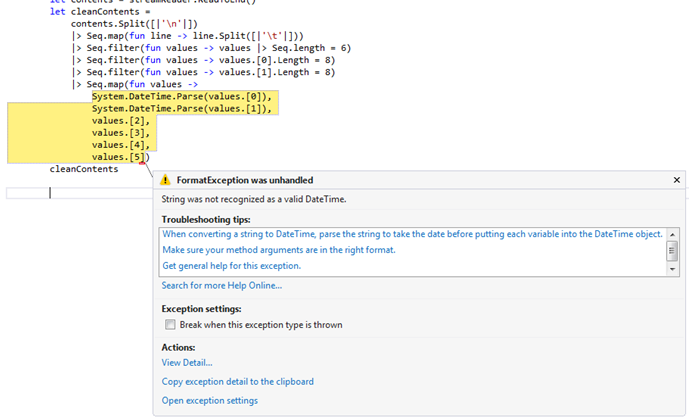
so I can compile again.  When I ran it, I got his exception:
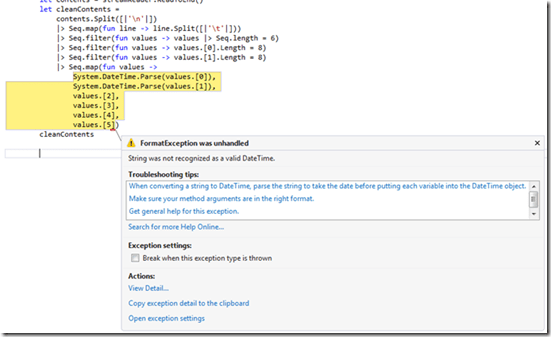
image


So it looks like R can handle YYYYMMDD while F# DateTime.Parse() can not.  So I went back to The different ways to parse in .NET I changed the parsing to this:

  1. System.DateTime.ParseExact(values.[0],"yyyymmdd",System.Globalization.CultureInfo.InvariantCulture),
  2. System.DateTime.ParseExact(values.[1],"yyyymmdd",System.Globalization.CultureInfo.InvariantCulture),

When I ran it, I got this:

image

Which I am not sure is progress.  so then it hit me that the data in the strings might be out of bounds – for example a month of “13”.  So I added the following filters to the dataset:

  1. |> Seq.filter(fun values -> System.Int32.Parse(values.[0].Substring(0,4)) > 1900)
  2. |> Seq.filter(fun values -> System.Int32.Parse(values.[1].Substring(0,4)) > 1900)
  3. |> Seq.filter(fun values -> System.Int32.Parse(values.[0].Substring(0,4)) < 2100)
  4. |> Seq.filter(fun values -> System.Int32.Parse(values.[1].Substring(0,4)) < 2100)
  5. |> Seq.filter(fun values -> System.Int32.Parse(values.[0].Substring(4,2)) > 0)
  6. |> Seq.filter(fun values -> System.Int32.Parse(values.[1].Substring(4,2)) > 0)
  7. |> Seq.filter(fun values -> System.Int32.Parse(values.[0].Substring(4,2)) <= 12)
  8. |> Seq.filter(fun values -> System.Int32.Parse(values.[1].Substring(4,2)) <= 12)      
  9. |> Seq.filter(fun values -> System.Int32.Parse(values.[0].Substring(6,2)) > 0)
  10. |> Seq.filter(fun values -> System.Int32.Parse(values.[1].Substring(6,2)) > 0)
  11. |> Seq.filter(fun values -> System.Int32.Parse(values.[0].Substring(6,2)) <= 31)
  12. |> Seq.filter(fun values -> System.Int32.Parse(values.[1].Substring(6,2)) <= 31)


Sure enough, now when I run it:

image

Which matches what the book’s R example.

I then wanted to match what the book does in terms of cleaning the city,state field (column).  We are only interested in data from the united states that follows the “City,State” pattern.  The R examples does some conditional logic to clean this data, up, which I didn’t want to do in F#.

So I added this filter than split the City,State column and checked that the state value is only 2 characters in length R uses the “Clean” keyword to remove white space, F# uses “Trim()”

  1. |> Seq.filter(fun values -> values.[2].Split(',').[1].Trim().Length = 2)


image


Next, the book limits the location values to only the Unites States.  To do that, it creates a list of values of all 50 postal codes (lower case) to then compare the state portion of the location field.  To that end, I added a string array like so:

  1. let usStates = [|"AL";"AK";"AZ";"AR";"CA";"CO";"CT";"DE";"DC";"FL";"GA";"HI";"ID";"IL";"IN";"IA";
  2.                  "KS";"KY";"LA";"ME";"MD";"MA";"MI";"MN";"MS";"MO";"MT";"NE";"NV";"NH";"NJ";"NM";
  3.                  "NY";"NC";"ND";"OH";"OK";"OR";"PA";"RI";"SC";"SD";"TN";"TX";"UT";"VT";"VA";"WA";
  4.                   "WV";"WI";"WY"|]

I then add this filter (took me about 45 minutes to figure out):

  1. |> Seq.filter(fun values -> Seq.exists(fun elem -> elem = values.[2].Split(',').[1].Trim().ToUpperInvariant()) usStates)


image

So now I am 1/2 way done with Chapter 1 – the data has now been cleaned and is ready to be analyzed. Here is the code that I have so far:

  1. member this.GetDetailData() =
  2.     let path = "C:\Users\Jamie\Documents\Visual Studio 2012\Projects\MachineLearningWithFSharp_Solution\Tff.MachineLearningWithFSharp.Chapter01\ufo_awesome.txt"
  3.     let fileStream = new FileStream(path,FileMode.Open,FileAccess.Read)
  4.     let streamReader = new StreamReader(fileStream)
  5.     let contents = streamReader.ReadToEnd()
  6.     let usStates = [|"AL";"AK";"AZ";"AR";"CA";"CO";"CT";"DE";"DC";"FL";"GA";"HI";"ID";"IL";"IN";"IA";
  7.                      "KS";"KY";"LA";"ME";"MD";"MA";"MI";"MN";"MS";"MO";"MT";"NE";"NV";"NH";"NJ";"NM";
  8.                      "NY";"NC";"ND";"OH";"OK";"OR";"PA";"RI";"SC";"SD";"TN";"TX";"UT";"VT";"VA";"WA";
  9.                       "WV";"WI";"WY"|]
  10.     let cleanContents =
  11.         contents.Split([|'\n'|])
  12.         |> Seq.map(fun line -> line.Split([|'\t'|]))
  13.         |> Seq.filter(fun values -> values |> Seq.length = 6)
  14.         |> Seq.filter(fun values -> values.[0].Length = 8)
  15.         |> Seq.filter(fun values -> values.[1].Length = 8)
  16.         |> Seq.filter(fun values -> System.Int32.Parse(values.[0].Substring(0,4)) > 1900)
  17.         |> Seq.filter(fun values -> System.Int32.Parse(values.[1].Substring(0,4)) > 1900)
  18.         |> Seq.filter(fun values -> System.Int32.Parse(values.[0].Substring(0,4)) < 2100)
  19.         |> Seq.filter(fun values -> System.Int32.Parse(values.[1].Substring(0,4)) < 2100)
  20.         |> Seq.filter(fun values -> System.Int32.Parse(values.[0].Substring(4,2)) > 0)
  21.         |> Seq.filter(fun values -> System.Int32.Parse(values.[1].Substring(4,2)) > 0)
  22.         |> Seq.filter(fun values -> System.Int32.Parse(values.[0].Substring(4,2)) <= 12)
  23.         |> Seq.filter(fun values -> System.Int32.Parse(values.[1].Substring(4,2)) <= 12)      
  24.         |> Seq.filter(fun values -> System.Int32.Parse(values.[0].Substring(6,2)) > 0)
  25.         |> Seq.filter(fun values -> System.Int32.Parse(values.[1].Substring(6,2)) > 0)
  26.         |> Seq.filter(fun values -> System.Int32.Parse(values.[0].Substring(6,2)) <= 31)
  27.         |> Seq.filter(fun values -> System.Int32.Parse(values.[1].Substring(6,2)) <= 31)
  28.         |> Seq.filter(fun values -> values.[2].Split(',').[1].Trim().Length = 2)
  29.         |> Seq.filter(fun values -> Seq.exists(fun elem -> elem = values.[2].Split(',').[1].Trim().ToUpperInvariant()) usStates)
  30.         |> Seq.map(fun values ->
  31.             System.DateTime.ParseExact(values.[0],"yyyymmdd",System.Globalization.CultureInfo.InvariantCulture),
  32.             System.DateTime.ParseExact(values.[1],"yyyymmdd",System.Globalization.CultureInfo.InvariantCulture),
  33.             values.[2].Split(',').[0].Trim(),
  34.             values.[2].Split(',').[1].Trim().ToUpperInvariant(),
  35.             values.[3],
  36.             values.[4],
  37.             values.[5])
  38.     cleanContents


I now want to finish up the chapter where the analysis happens.  R uses some built-in plotting libraries (ggplot).  Following Luca’s example of this

image 

I went to the flying frogs libraries and, alas, there is no longer a free edition.

image

So I am bit stuck.  I’ll continue to work on it for next week’s blog…