Entity Frameworks 4.0 Recipes

I am working though Entity Frameworks 4.0 Recipes. I love the concept and the examples look great. I started on page 20 with and simple and select from EF. Here is the first code sample:

1 static void InsertData() 2 { 3 using (var context = new EFRecipiesEntities()) 4 { 5 var poet =new Poet {FirstName="John", LastName="Milton"}; 6 var poem = new Poem {Title = "Paradise Lost"}; 7 var meter = new Meter{MeterName="Iambic PentameterXXXX"}; 8 poem.Meter = meter; 9 poem.Poet = poet; 10 context.Poems.AddObject(poem); 11 context.SaveChanges(); 12 } 13 } 14 15 static void ViewDataFromTables() 16 { 17 using (var context = new EFRecipiesEntities()) 18 { 19 var poets = from p in context.Poets select p; 20 foreach (var poet in poets) 21 { 22 Console.WriteLine("{0} {1}", poet.FirstName, poet.LastName); 23 foreach (var poem in poet.Poems) 24 { 25 Console.WriteLine("\t{0} ({1})", poem.Title, poem.Meter.MeterName); 26 } 27 } 28 29 } 30 } 31

Some initial thoughts:

The misuse of the keyword var – it is everywhere.

He is using poor variable names, for example, “p”

I would re-write his select query as so:

1 static void ViewDataFromTables() 2 { 3 using (var context = new EFRecipiesEntities()) 4 { 5 ObjectSet<Poet> poetQuery = from poet in context.Poets select poet; 6 foreach (Poet poet in poetQuery) 7 { 8 Console.WriteLine("{0} {1}", poet.FirstName, poet.LastName); 9 foreach (var poem in poet.Poems) 10 { 11 Console.WriteLine("\t{0} ({1})", poem.Title, poem.Meter.MeterName); 12 } 13 } 14 15 } 16 } 17

Also, check out something wicked cool (or dangerous) from EF. I changed the insert to have a Meter Name that is not already part of the Meter table. Instead of throwing a referential constraint error when the new value came in, EF silently added it:

image

And once I run this:


1 static void InsertData() 2 { 3 using (var context = new EFRecipiesEntities()) 4 { 5 var poet =new Poet {FirstName="John", LastName="Milton"}; 6 var poem = new Poem {Title = "Paradise Lost"}; 7 var meter = new Meter{MeterName="XXX"}; 8 poem.Meter = meter; 9 poem.Poet = poet; 10 context.Poems.AddObject(poem); 11 context.SaveChanges(); 12 } 13 } 14

Here are the post-Insert values:

image

MVC2 && EF4.0 Cascading Drop Down List

I am trying to create a cascading drop down in MVC2. This is a simple application so I am using Entity Framework 4.0 classes in my User Layer (instead of the usual POCOs).

I looked at Steve’s Walther’s solution(s) here: the problem is that it doesn’t work – you get an object null reference b/c the page isn’t done loading (I think). I tried putting it into JQuery, which I know waits to fire until the DOM is loaded, but I started getting too deep into the port.

I then looked at other people’s attempts like here and here – lots of code, little explanation and it doesn’t work without modifications.

I then went back to a project that I created does an Ajax call for the second drop down and tried to create my own solution.

Here is the initial controller:

1 public JsonResult GetDoctrinesForAnIssue(int issueId) 2 { 3 IDoctrineFactory doctrineFactory = new DoctrineFactory(); 4 List<Doctrine> doctrines = doctrineFactory.GetDoctrines(issueId); 5 return Json(doctrines.ToList()); 6 } 7  

The problem is that I am using an EF class directly in the JSON return. I am getting a missing object context because the entire graph is not loading and the context is disposed when it is going back to rehydrate – one of limitations of EF is that the instantiated class has to exist with the object context that created it so when that context goes away, you are stuck.

image

When I put the entire graph in to see, I got a circular reference error. Ugh

1 var doctrineQuery = (from doctrine in patentEntities.Doctrines 2 .Include("Issue") 3 .Include("Comment") 4 .Include("Comment.Claim") 5 .etc…. 6 select doctrine).ToList<Doctrine>(); 7 return doctrineQuery; 8  

I then thought about some of my other projects that I have worked on lately. I used POCOs extensively so this kind of problem didn’t surface – the downside is that I would then need to code up the POCOs, the Factories, and the mapping between the POCOs and EF classes – which is a bit overkill for this project. I then thought of a third way of using a dynamic object just for this drop down lists – outside of the factory, inside the controller:

1 public JsonResult GetDoctrinesForAnIssue(int issueId) 2 { 3 IDoctrineFactory doctrineFactory = new DoctrineFactory(); 4 var query = (from doctrine in doctrineFactory.GetDoctrines(issueId) 5 select new { doctrine.DoctrineId, doctrine.DoctrineName }).ToList(); 6 7 return Json(query); 8 } 9  

Add a little LINQ and boom goes the dynamite…

Carpool Project: Part #11

I wanted to have a list of all of the swimmers NOT associated with a carpool. I got a list of all swimmers and then a list of all swimmers in carpool. I first started doing some nested For..Each and quickly realized I was doing something wrong. I went to 101 LINQ Samples and got a much better implementation (sample #52). I whipped this code:

1 public static List<Swimmer> GetNonCarpooledSwimmers(int carpoolId) 2 { 3 List<Swimmer> allSwimmers = SwimmerFactory.GetAllSwimmers(); 4 List<Swimmer> carpooledSwimmers = CarpoolFactory.GetCarpool(carpoolId).Swimmers; 5 return allSwimmers.Except(carpooledSwimmers).ToList<Swimmer>(); 6 } 7  

and ran a test:

Carpool67

Red! Dangnabbit.

I went to the definition of Except and realized that I did not implement a custom GetHashCode or Equals() for Swimmer. I popped this code into my Swimmer class:

1 2 public override int GetHashCode() 3 { 4 return this.Id; 5 } 6 7 public override bool Equals(object obj) 8 { 9 Swimmer other = obj as Swimmer; 10 if (other == null) 11 { 12 return base.Equals(obj); 13 } 14 else 15 { 16 if (other.Id == this.Id) 17 { 18 return true; 19 } 20 else 21 { 22 return false; 23 } 24 25 } 26 } 27  


And things ran like a champ…

Carpool Project: Part #10

I went back to the update of the Carpool Controller and changed the view to include the Driver like so:

Carpool62

I then updated the driverId to see if the changes propagate. The new value is in the form collection:

Carpool63

But after running UpdateView(), the new value is dropped.

Carpool64

Apparently, only the top-level properities are affected by UpdateView? Ugh – between the date/time conflict the nested properties, UpdateView only is useful for the most basic scenarios. I’ll replace UpdateView with a method that I write.

I thought about using Reflection like so (this is not right):

1 private void UpdateCarpoolFromFormCollection(Carpool.Domain.Carpool carpool, FormCollection collection) 2 { 3 4 PropertyInfo[] propertyInfos = carpool.GetType().GetProperties(); 5 foreach (PropertyInfo propertyInfo in propertyInfos) 6 { 7 for (int i = 0; i < collection.Count; i++) 8 { 9 if (propertyInfo.Name == collection[i].ToString()) 10 { 11 propertyInfo.SetValue(carpool,collection[i],null); 12 } 13 } 14 } 15 16 } 17  

I realized I really don’t understand the FormCollection object and how to enumation (or write some LINQ) to pull the correct value out of it. I then realized that I am being stupid. Of course the MVC creators would allow for next properities. I wrote a quick hello world app and sure enough, the changes are coming down:

Carpool65

The difference is the “.”. In my carpool solution, the Carpool.Drver is somehow turning into CarpoolDriver:

Carpool66

Changing this

1 <div class="editor-label"> 2 <%: Html.LabelFor(model => model.Driver.Id) %> 3 </div> 4 <div class="editor-field"> 5 <%= Html.TextBox("carpoolDriverId", Model.Driver.Id)%> 6 <%: Html.ValidationMessageFor(model => Model.Driver.Id)%> 7 </div> 8  

To This

1 2 <div class="editor-label"> 3 <%: Html.LabelFor(model => model.Driver.Id) %> 4 </div> 5 <div class="editor-field"> 6 <%: Html.TextBoxFor(model => model.Driver.Id)%> 7 <%: Html.ValidationMessageFor(model => model.Driver.Id)%> 8 </div> 9  


And boom goes the dynamite…

PLINQ – Does it save any time?

Well, yeah!


I created a quick Console application  and set up a linear  function call like so:


            Stopwatch stopwatch = new Stopwatch();

            stopwatch.Start();

            GetNorthwindCustomers();

            GetAdventureWorkWorkOrders();

            stopwatch.Stop();

            Console.WriteLine(string.Format("Elapsed Time: {0} milliseconds", stopwatch.ElapsedMilliseconds.ToString()));


And set up 2 data objects – I used Entity Framework for Northwind and  LINQ to SQL for Adventure works

        static void GetNorthwindCustomers()

        {

            ConsoleColor currentColor = Console.ForegroundColor;

            Console.ForegroundColor = ConsoleColor.Red;

            NorthwindEntities dataContext = new NorthwindEntities();


            var customers = (from c in dataContext.Customers

                             select c).OrderBy(c => c.CompanyName);


            for (int i = 0; i < 50; i++)

            {

                foreach (Customer customer in customers)

                {

                    Console.WriteLine(string.Format("CustomerID: {0} – CompanyName: {1}", customer.CustomerID, customer.CompanyName));


                }

            }

            Console.ForegroundColor = currentColor;

        }


And

        static void GetAdventureWorkWorkOrders()

        {

            ConsoleColor currentColor = Console.ForegroundColor;

            Console.ForegroundColor = ConsoleColor.Blue;

            AdventureWorksDataContext dataContext = new AdventureWorksDataContext();


            var workOrders = (from wo in dataContext.WorkOrders

                            select wo).OrderBy(wo => wo.StartDate);


            foreach (WorkOrder workOrder in workOrders)

            {

                Console.WriteLine(string.Format("WorkOrderId: {0} – StartDate: {1}", workOrder.WorkOrderID, workOrder.StartDate.ToString()));

            }

            Console.ForegroundColor = currentColor;

        }


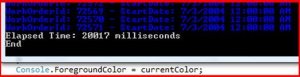
After running it, I get the following result:


I then added the AsParallel to the data context like this:

var customers = (from c in dataContext.Customers.AsParallel()

var workOrders = (from wo in dataContext.WorkOrders.AsParallel()

and ran it

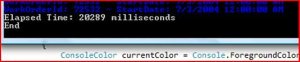
The results were:

Two questions came to mind:

·         Why was there a performance gain?

·         The database calls still ran in sequence.  How can I get them to run simultaneously?

I decided to tackle the second question 1st – leaving the 1st as an academic exercise to be completed later.

I realized immediate that the database calls were running in sequence because, well, they were being calling in sequence:

            GetNorthwindCustomers();

            GetAdventureWorkWorkOrders();


To get the database calls to run in parallel, I needed to use Parallelism at that level of the call stack.

I first tried to add both function calls to a Task:

            stopwatch.Start();

            Task taskNorthwind = Task.Factory.StartNew(() => GetNorthwindCustomers());

            Task taskAdventureWorks = Task.Factory.StartNew(() => GetAdventureWorkWorkOrders());

            stopwatch.Stop();


The funny thing is – the stopwatch ran immediately and the 2 other tasks ran after that.  So I need a way to only running the database calls in parallel, not the stopwatch.

I then tried the Parallel.Invoke method like so:

            Parallel.Invoke(GetNorthwindCustomers);

            Parallel.Invoke(GetAdventureWorkWorkOrders);


And I got the same result as a linear call:

So then I realized I should put both tasks in the same Parallel call:

Parallel.Invoke(GetNorthwindCustomers, GetAdventureWorkWorkOrders);


Now the different commands in each function are running in parallel – like the console color.  However, the database calls are still operating as a single block.  I then decided to test this hypothesis by putting a Thread.Sleep  in the first  database fetch.

What do you know, the database calls do interleave – if given enough time:

I did notice that no matter what I did with the tasks, the actual sequence from the LINQ was the same (because of the orderby extension method).  That is good news for programmers that want to add parallelism to their existing application and rely on the order from the database (perhaps for the presentation layer).

All in all, it was a very interesting exercise on a Saturday AM.  I ordered


I wonder if there are new patterns that I will uncover after reading this.


Json and Entity Frameworks

I started digging deeper into Ajax and Json in a MVC solution when I came across an interesting gotcha.  I wanted to have a table with some data be assocaited with a drop down – a very common pattern.  I started using Entity Frameworks and I created a couple of Json methods to expose some of the classes from the EF Data Context. 

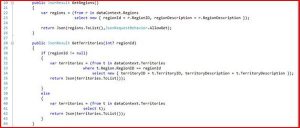
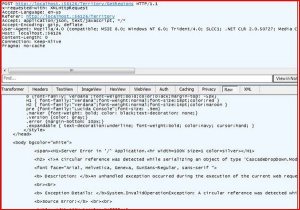
The most import thing to recognize is on line 23 and 34.  If you do that I have on line 41, you get an error.  Gotcha #1 is that there is no way to detect the error using this code:

            $.ajax({

                type: "POST",

                traditional: true,

                url: "/Territory/GetRegions",

                dataType: "json",

                success: function (data) {

                    $.each(data, function () {

                           //Stuff

                }

            });


Because there is no error handler implemented.  Fortunately, Fiddler came and saved the day:

In addition, you can add an error handler with the Error property:

                error: function(XMLHttpRequest) {

                    alert(XMLHttpRequest.responseText);

                }


And now that I think about it, the gotcha makes sense.  The return from entity framework has all of these relation properities, etc… that json simply does not care about.  My lesson learned is to use DTOs where communicating with Json, don’t use the classes created by EF

In any event, once the Json methods got working, I needed to hook them up to the controls on hte form.  I started 1st with ASP.NET controls (drop down list and grid view) but the client side ID was getting screwed up (I think there is a fix in 4.0, need to investigate) so I used plain old HTML controls and implemented the following 2 loads.  The 1st goes on the page load for the select list:

        function LoadRegionList() {

            $.ajax({

                type: "POST",

                traditional: true,

                url: "/Territory/GetRegions",

                dataType: "json",

                success: function (data) {

                    $.each(data, function () {

                        $("#SelectRegion").append($("<option />").val(this.regionId).text(this.regionDescription));

                    });

                }

            });

        }


And the other goes on the select list changed event – updating the table

        function LoadTerritoryList() {

            $("#TerritoryTable tr:gt(0)").html("");


            var regionId = $("#SelectRegion").val();

            var postData = { RegionID: regionId };


            $.ajax({

                type: "POST",

                traditional: true,

                url: "/Territory/GetTerritories",

                data: postData,

                dataType: "json",

                success: function (data) {

                    $.each(data, function () {

                        $("#TerritoryTable").append("<tr><td>" + this.territoryID + "</td><td>" + this.territoryDescription + "</td></tr>");

                    });

                }

            });


I don’t like stringing together HTML (the <option>,<td>,<tr> tages) but I can’t find a simpler way.  It seems that there is no separation of concerns I am placing data into markup.

Once those methods were implemented – volia! I had a table that changed with every change of the select list.  Very cool.

I am still wondering if the developer experience taking a step-backwards might be worth the trade off – the user experience is much much better than ASP.NET post-back and even ASP AJAX update panels… 

LINQ To SQL – Part 01

I started playing around with LINQ to SQL This AM.  I tried to enumerate all of the running processes on my machine using the following LINQ:
 

var

query =

from p in System.Diagnostics.Process

.GetProcesses()

select new

{p.SessionId.ToString(), p.ProcessName};

ObjectDumper.Write(query);


and I got the following error:
Invalid anonymous type member declarator. Anonymous type members must be declared with a member assignment, simple name or member access.
An anonymous type must be declared with a member assignment, simple name, or member access.

Apparently, you need to have real variable names for each property you create (note the bold):


select

 new {sessionId = p.SessionId.ToString(), p.ProcessName};

Did the trick