Signature Project: Slope of the Signature (Part 1)

Continuing the signature project, I then wanted to calculate the slope of each signature to then normalize the different slopes to determine the match % of the signatures’ scatterplots.  To that end, I needed to figure out the “center” line of each signature’s scatterplot.  Remembering the “Sum of Least Square” method from biostatistics 20 years ago, I realized that I needed to plot my best “guess of the line with 50% of the points above the line and 50% below.  I could then create the line based on this Y coordinate and the far left and right X Coordinate.  Note that I could then figure out the dispersion of the points away from this line.  Perhaps that could then tell me if someone signed the second signature more messily and were perhaps under duress.  Leaving that analysis for another day – I just wanted to figure out the center line.

Following TDD, I created a test:

[TestMethod()]
[DeploymentItem("Tff.Signature.Comparison.dll")]
public void GetCenterYPoint_TwoPoints_ReturnsAverage_Test()
{
    ScatterplotComparisonFactory_Accessor target = new ScatterplotComparisonFactory_Accessor();
    List<Point> points = new List<Point>();
    points.Add(new Point(0, 0));
    points.Add(new Point(0, 2));

    int expected = 1;
    int actual = target.GetCenterYPoint(points);
    Assert.AreEqual(expected, actual);
}

I then wrote the GetCenterYPoint method (note the syntax to access private methods):

private Int32 GetCenterYPoint(List<Point> points)
{
    int totalYValue = 0;
    foreach (Point point in points)
    {
        totalYValue += point.Y;
    }
    return (Int32)(totalYValue / points.Count);
}

The test ran green so I tackled the Left and Right X Points:

[TestMethod()]
[DeploymentItem("Tff.Signature.Comparison.dll")]
public void GetLeftMostXPoint_TwoPoints_ReturnsLowest_Test()
{
    ScatterplotComparisonFactory_Accessor target = new ScatterplotComparisonFactory_Accessor();
    List<Point> points = new List<Point>();
    points.Add(new Point(1, 0));
    points.Add(new Point(0, 2));

    int expected = 0;
    int actual = target.GetLeftMostXPoint(points);
    Assert.AreEqual(expected, actual);
}

[TestMethod()]
[DeploymentItem("Tff.Signature.Comparison.dll")]
public void GetRightMostXPoint_TwoPoints_ReturnsHighest_Test()
{
    ScatterplotComparisonFactory_Accessor target = new ScatterplotComparisonFactory_Accessor();
    List<Point> points = new List<Point>();
    points.Add(new Point(0, 0));
    points.Add(new Point(1, 2));

    int expected = 1;
    int actual = target.GetRightMostXPoint(points);
    Assert.AreEqual(expected, actual);
}

The methods are pretty much what you expect:

private Int32 GetLeftMostXPoint(List<Point> points)
{
    int mostLeftXValue = points[0].X;
    foreach (Point point in points)
    {
        if (point.X < mostLeftXValue)
        {
            mostLeftXValue = point.X;
        }
    }
    return mostLeftXValue;
}

private Int32 GetRightMostXPoint(List<Point> points)
{
    int mostRightXValue = points[0].X;
    foreach (Point point in points)
    {
        if (point.X > mostRightXValue)
        {
            mostRightXValue = point.X;
        }
    }
    return mostRightXValue;
}

Those also ran green so I created the CenterLineOfPoints tests.  The first was a Horizontal line should return the same value:


[TestMethod()]
[DeploymentItem("Tff.Signature.Comparison.dll")]
public void GetCenterLineOfPoints_HorizontalLine_ReturnsSame_Test()
{
    ScatterplotComparisonFactory_Accessor target = new ScatterplotComparisonFactory_Accessor();

    List<Point> points = new List<Point>();
    points.Add(new Point(0, 0));
    points.Add(new Point(4, 0));

    Line expected = new Line(0, 0, 4, 0);
    Line actual = target.GetCenterLineOfPoints(points);
    Assert.AreEqual(expected, actual);
}

I wrote my method:

private Line GetCenterLineOfPoints(List<Point> points)
{
    Point leftPoint = new Point();
    leftPoint.X = GetLeftMostXPoint(points);
    leftPoint.Y = GetCenterYPoint(points);

    Point rightPoint = new Point();
    rightPoint.X = GetRightMostXPoint(points);
    rightPoint.Y = leftPoint.Y;

    return new Line(leftPoint, rightPoint);
}

It ran green, so I ran the next test – two vertical lines should return the average distance between them:

[TestMethod()]
[DeploymentItem("Tff.Signature.Comparison.dll")]
public void GetCenterLineOfPoints_VerticalLine_ReturnsSamePointInMiddle_Test()
{
    ScatterplotComparisonFactory_Accessor target = new ScatterplotComparisonFactory_Accessor();

    List<Point> points = new List<Point>();
    points.Add(new Point(0, 0));
    points.Add(new Point(0, 4));

    Line expected = new Line(0, 2, 0, 2);
    Line actual = target.GetCenterLineOfPoints(points);
    Assert.AreEqual(expected, actual);
}

That also ran green (Note that some TDDers put both of those tests in the same test method.  I don’t like to do that – even if it means red/green/refactor crosses several tests.  In any event, I then added the final test to confirm the awesomeness of my calculation.  A line at 45 degree angle should return the same line with a .5 slope.

[TestMethod()]
[DeploymentItem("Tff.Signature.Comparison.dll")]
public void GetCenterLineOfPoints_45degreeSlopeLine_ReturnsAverage_Test()
{
    ScatterplotComparisonFactory_Accessor target = new ScatterplotComparisonFactory_Accessor();

    List<Point> points = new List<Point>();
    points.Add(new Point(0, 0));
    points.Add(new Point(4, 4));

    Line expected = new Line(0, 0, 4, 4);
    Line actual = target.GetCenterLineOfPoints(points);
    Assert.AreEqual(expected, actual);
}

And I ran it and got RED!  Crap!
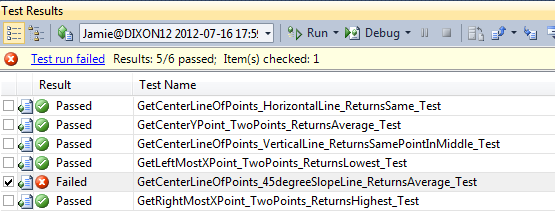
image

I am doing something wrong in my calculation.  It was pretty obvious, the Y point for that center line is NOT the same for both points.  If it was, the slope would always be 0.0. What I need to do was channel my inner Gauss and use his formula for calculating SLS.  I then binged around and found this great step by step article to the finding the center line.

Forgetting TDD for a second, I attempted to implement the formula using C#.  I came up with this:

private Line GetCenterLineViaSumOfLeastSquares(List<Point> points)
{
    Int32 sumOfXValue = 0;
    Int32 sumOfYValue = 0;
    Int32 sumOfXValueSquared = 0;
    Int32 sumOfXValueMultipledByYValue = 0;
    Int32 numberOfPoints = 0;

    foreach (Point point in points)
    {
        sumOfXValue += point.X;
        sumOfYValue += point.Y;
        sumOfXValueSquared += point.X ^ 2;
        sumOfXValueMultipledByYValue += point.X * point.Y;
        numberOfPoints ++;
    }
    Double xMean = sumOfXValue / numberOfPoints;
    Double yMean = sumOfYValue / numberOfPoints;

    Double numerator = sumOfXValueMultipledByYValue - ((sumOfXValue * sumOfYValue) / numberOfPoints);
    Double denomiator = sumOfXValueSquared - ((sumOfXValue ^ 2)/numberOfPoints);
    Double slope = numerator / denomiator;
    Double yIntercept = yMean - (slope) * sumOfXValue;

    Point startPoint = new Point(0, (Int32)yIntercept);
    Point endPoint = new Point(0, 0);

    return new Line(startPoint, endPoint);
}

Note that I didn’t know how to calculate the Xaxis intercept yet, so I left it as 0,0.  Some of you might ask why did I do this

Double xMean = sumOfXValue / numberOfPoints;

When I could have done this?

Double xMean = sumOfXValue / points.Count;

In a word.  Readability.  Using explanatory variables does not waste any meaningful processing time, and the code is more readable – it matches the mathematical formula’s text.

In any event, I then realized that I don’t need a line to represent the middle line – I just needed the slope.  And lookie right there – I have a variable called… slope.  I changed the method to return the slope of the middle line:

private Double GetSlopeOfScatterplot(List<Point> points)
{
    //Bunch of code
    return numerator / denomiator;

}

Jumping back to TDD, I realized I need a bunch of tests to verify that my slope calculation is correct.   I deleted all of my prior work – thank goodness for source control and here is what I came up with:

[TestMethod()]
[DeploymentItem("Tff.Signature.Comparison.dll")]
public void GetSlopeOfScatterplot_HorizontalLine_ReturnsZero_Test()
{
    ScatterplotComparisonFactory_Accessor target = new ScatterplotComparisonFactory_Accessor();

    List<Point> points = new List<Point>();
    points.Add(new Point(0, 2));
    points.Add(new Point(1, 2));
    points.Add(new Point(3, 2));
    points.Add(new Point(4, 2));

    Double expected = 0.0;
    Double actual = target.GetSlopeOfScatterplot(points);
    Assert.AreEqual(expected, actual);
}


[TestMethod()]
[ExpectedException(typeof(DivideByZeroException))]
[DeploymentItem("Tff.Signature.Comparison.dll")]
public void GetSlopeOfScatterplot_VerticalLine_ReturnsUndefined_Test()
{
    ScatterplotComparisonFactory_Accessor target = new ScatterplotComparisonFactory_Accessor();

    List<Point> points = new List<Point>();
    points.Add(new Point(2, 0));
    points.Add(new Point(2, 1));
    points.Add(new Point(2, 2));
    points.Add(new Point(2, 3));

    Double expected = 0.0;
    Double actual = target.GetSlopeOfScatterplot(points);
    Assert.AreEqual(expected, actual);
}

[TestMethod()]
[DeploymentItem("Tff.Signature.Comparison.dll")]
public void GetSlopeOfScatterplot_45DegreeLine_ReturnsOne_Test()
{
    ScatterplotComparisonFactory_Accessor target = new ScatterplotComparisonFactory_Accessor();

    List<Point> points = new List<Point>();
    points.Add(new Point(0, 0));
    points.Add(new Point(1, 1));
    points.Add(new Point(2, 2));
    points.Add(new Point(3, 3));

    Double expected = 1.0;
    Double actual = target.GetSlopeOfScatterplot(points);
    Assert.AreEqual(expected, actual);
}


The thing – The vertical line is coming back as 0 – when it should be divideByZero.  Crap X 2!

!image
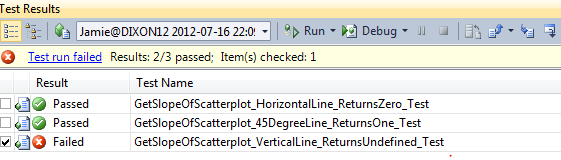
I then went back and looked at my code and I realized I made a rookie mistake!

sumOfXValueSquared += (point.X ^ 2);

is wrong and

sumOfXValueSquared += (point.X * point.X);

is right.  I then got this exception:

image

NaN.  Wahoo!!!!  I thought I would get a DividByZeroException, but I was wrong.  I then used the Double.Nan function in that unit test

[TestMethod()]
[DeploymentItem("Tff.Signature.Comparison.dll")]
public void GetSlopeOfScatterplot_VerticalLine_ReturnsUndefined_Test()
{
    ScatterplotComparisonFactory_Accessor target = new ScatterplotComparisonFactory_Accessor();

    List<Point> points = new List<Point>();
    points.Add(new Point(2, 0));
    points.Add(new Point(2, 1));
    points.Add(new Point(2, 2));
    points.Add(new Point(2, 3));

    Boolean expected = true;
    Boolean actual = Double.IsNaN(target.GetSlopeOfScatterplot(points));
    Assert.AreEqual(expected, actual);
}

and I was “green to go” <trademark pending>

image

Now I can compare 2 signatures and analyze the slope between them.
Server.MapPath

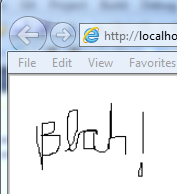
Last week, I created a WinForms signature capture panel and then rendered the data out to a webpage.  You can read about it here.  The problem is that I used Response.Write to write the image to the browser.  Even in a web control, the only thing shown in a browser is the image:

image

gives this:

image


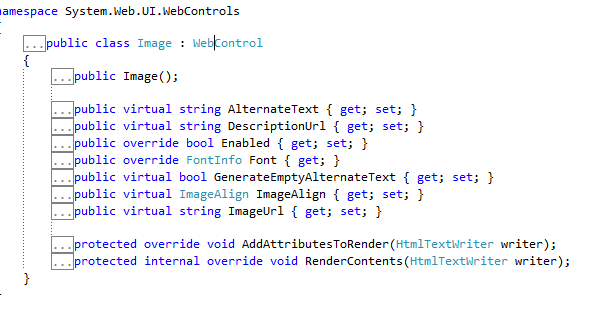
I then decided that I should use a Web.UI.Image Control to render the image. 

image

The problem?  ImageUrl is the method you use to assign the image, and that only has 1 signature – 1 String that is the Url of the image that is, typically, located on the file system.


image

Without thinking too hard, I decided to put the image on the file system  and then point to the image in the code behind.

I wrote the following code:

private void LoadSignature()
{
    SignatureFactory signatureFactory = new SignatureFactory();
    String fileName = String.Format("~/images/Signature.bmp");

    using (Bitmap bitmap = new Bitmap(200, 100))
    {
        using (Graphics graphics = Graphics.FromImage(bitmap))
        {
            Signature signature = signatureFactory.LoadSignatureFromFileSystem(@"C:\Signatures\signature.xml");
            Pen pen = new Pen(Color.Black);

            SolidBrush solidBrush = new SolidBrush(Color.White);
            graphics.FillRectangle(solidBrush, 0, 0, 400, 50);

            foreach (Glyph glyph in signature.Glyphs)
            {
                foreach (Line line in glyph.Lines)
                {
                    graphics.DrawLine(pen, line.StartPoint.X, line.StartPoint.Y,
                        line.EndPoint.X, line.EndPoint.Y);
                }
            }
            bitmap.Save(fileName, System.Drawing.Imaging.ImageFormat.Bmp);
        }
    }
    this.signatureImage.ImageUrl = fileName;
}

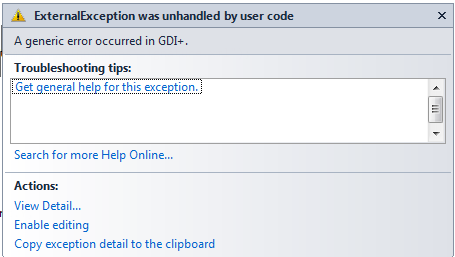
When I ran it, I got the following exception:

image

Carp!  And no inner exception to boot!  When you Bing/Google/AskJeeves this exception, you get TONS of potential reasons (Security, Location, OOM, etc…) – basically, the managed wrapper for the CGI+ call didn’t implement any exceptions.  Without knowing anything about the implementation, I have to believe that HRESULT did return something, MSFT was just to lazy busy to send out meaningful exception message.

After screwing around for a bit, I would get the message to write to the file system by hard-coding the path like so:

//String fileName = String.Format("~/images/Signature.bmp");
String fileName = String.Format(@"C:\Users\Jamie\Desktop\Tff.SignatureCapture\Tff.SignatureCapture.WebForm\images\Signature.bmp");

The problem is that the Signature.ImageUrl now breaks:

image

It was coding after 8PM, so I immediately started throwing more gasoline on the fire by compounding my mistakes.  I thought, heck, I need need 2 strings for the file – 1 that the GDI+ uses to write and 1 that the ASP:Image control can read from like this:

It worked, so I went to

String readFileName = String.Format("~/images/Signature.bmp");
String writeFleName = String.Format(@"C:\Users\Jamie\Desktop\Tff.SignatureCapture\Tff.SignatureCapture.WebForm\images\Signature.bmp");

bed, safe in the knowledge that I created a great solution:

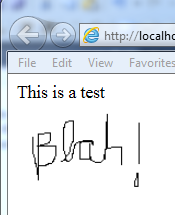
image


Around 2 in the morning I woke up.  “You idiot” I thought.  The ASP.NET framework already has a provision to resolve relative and absolute paths.  It is the Server.MapPath function:

bitmap.Save(Server.MapPath(fileName), System.Drawing.Imaging.ImageFormat.Bmp);

Sure enough, that did the trick.  Since I was up a 2:15AM with my computer on, I decided to look at the ASP Image.Control to see if I could extend it to have an ImageStream function.

image

Sure enough, it is not sealed.  that might be a fun project for next week.  I went back to sleep, in a better place….

According to WCPSS: Google > Bing

I went into a Wake County Library that is inside a local public high school.  I went to go to Bing via their WiFi and I got this:

Capture


I could get to Google.  I am surprised that my government was picking sides in the search engine wars – I mean it is not like either Google or Bing are different in any substantive way…

Domain Specific Language and POCOs

I was thinking about POCOs last night and how they relate to the Ubiquitous Language Principle*.  To illustrate my thoughts, I created a simple 3-tier solution ins Visual Studio.  The User Layer is a Console Application that references the Business Layer.  The Business Layer then references the Data Layer.  The Data Layer uses Entity Framework to handle all of the CRUD with the actual database. 


image


Following good design, I know that my POCOs need to represent the domain objects that the application is acting on.  I also know that these domain objects need to be defined only once.  Also, because of the dependencies, the EF created classes should not be visible to the User Layer – if the UI references the data layer, then the simplicity of design and the chance of circular relationships and twisted logic increases significantly. 

Following that path, I created a POCO in my data layer.  I started with a Category Class:

image

Note the naming difference among properties between the Business Layer Category Class and the Data Layer Category Class.  I then wired up a CategoryFactory class that provides new Categories and acts on changes to altered categories – sort of a mish-mash between the GOF Factory and Builder pattern and the more-recent Repository pattern.

The first method I wrote was a select by id method:

public Category GetCategory(int id)
{
    NorthwindEntities entities = new NorthwindEntities();
    entities.Categories.Where(c => c.CategoryID == id).FirstOrDefault();
    return null;
}

The problem is immediately apparent.  I am selecting a Northwind.Data.Category from the data layer but I am returning a Northwind.Business.Category from the business layer.  I need some kind of translation method to handle the 2 classes.

public Category GetCategory(int id)
{
    NorthwindEntities entities = new NorthwindEntities();
    Northwind.Data.Category dataCategory = entities.Categories.Where(c => c.CategoryID == id).FirstOrDefault();
    return ConvertCategory(dataCategory);
}

private Category ConvertCategory(Northwind.Data.Category dataCategory)
{
    Category category = new Category()
    {
        Id = dataCategory.CategoryID,
        Description = dataCategory.Description,
        Name = dataCategory.CategoryName
        //TODO: Convert byte[] to picture 
    };
    return category;
}

This kind of solution introduces lots of code, which can be fixed using a POCO generator.  I still have a problem though – does having a Category in each layer violate the Ubiquitous Language Principle?  If you read Even’s description, the answer is “maybe” – he introduces the ULP so that business people can be specific in their requirements and talk in terms of the domain model.  Should the business experts even know about the data layer – probably not.  But what about 2 different sets of developers on the team – the business layer developers and the data layer developers?  When they talk about a Category in a meeting, which one?  Should they namespace it?  How about if we add the dbas to the meeting?  Their category is the actual representation on the database, which may or may not directly correspond to the data layer category which may not correspond to the business layer category.  Finally, what happens when the business expert talks to the dbas (a common occurrence when the reporting module is being developed separately).  The business expert might be talking Northwind.Business.Category and the dba is talking a Category table record. 

I don’t have a good solution, or even a good set of possible options:

1) Give every object a name that reflects not only their business meaning but their layer with the Cannon being the business layer.

CategoryDataTable

CategoryDataObject

Category

Yuck. And do you want to tell the DBA/Data Modeler that they have to rename their tables?  Good luck.

2) Always talk in namespaces in meetings.  For example. “Hey Joe, I noticed that the Data.Category object has a Description field.  Is it read-only?”  The Business.Category is not.  Less yucky, but requires a more specific lexicon that might drive your business experts nuts.  Also, note the variable name that I used in the transform method (dataCategory) – it is not really Hungarian notation because I am not using the type in the prefix, but I am using the namespace.  Yuck.

3) I don’t have an option #3.

As it stands, I option for #2 – I would rather be specific with my business experts and use some kind of Hungarian-notation bastardization. But I am not happy….


*   The Ubiquitous Language Principle is something I coined after reading chapter 2 of  Eric Evan’s Domain Driven Design

Start me up!

When you create a new Windows Form project, you get a Form1 out of the box.  In that Form’s code behind, you get a constructor with a call to initialize component.

public partial class Form1 : Form
{
    public Form1()
    {
        InitializeComponent();
    }
}

When you hit F5 to run the application, how does the .NET runtime know to launch Form1?  The answer is that Visual Studio pre-builds another module called Program where there is 1 method, static void Main, that looks like this.

static class Program
{
    /// <summary>
    /// The main entry point for the application.
    /// </summary>
    [STAThread]
    static void Main()
    {
        Application.EnableVisualStyles();
        Application.SetCompatibleTextRenderingDefault(false);
        Application.Run(new Form1());
    }
}

So how does the .NET runtime know to look for Program.Main to run?  The answer is that the .NET runtime has hard-coded into its logic to look for static void Main() as described here.  That means that you can put static void Main anywhere in your project and the .NET Runtime will find it.*

The reason I bring this up is because I was peer-reviewing a Windows Form project that had removed the Program file/class and stuck static void main in the code behind of Form1 – and static void main called, you guessed it, Form1.  For a second I froze thinking that they created a recursive loop, when I realized that static void Main only gets called once – Form1 never actually uses it.

In any event, a better practice would be to have a separate module (called Program, MyGreatProgram, whatever) to launch the Form(s) and do whatever pre-processing I necessary.


* Note that you can override this default behavior by using the Startup object property in the project’s property page:

image

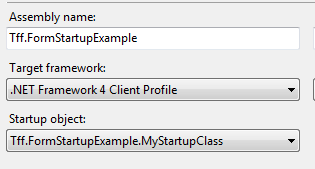
By having as (Not Set), the .NET runtimes looks for static void Main.  You can override this with your own class.method.  For example:

public class MyStartupClass
{
    public static void Main()
    {
        Application.Run(new Form1());
    }
}

and then point to it:

image

Note that if you remove all static void main methods in your project, you will get this exception:

Error    1    Program ‘C:\Users\Jamie\Documents\Visual Studio 2010\Projects\Tff.FormStartupExample\Tff.FormStartupExample\obj\x86\Debug\Tff.FormStartupExample.exe’ does not contain a static ‘Main’ method suitable for an entry point    Tff.FormStartupExample

Finding your largest file

I had a recent project where I had to loop though a directory and then any subdirectory and pull out any .jar files to stick onto a class path…. Man, java sucks.  In any event, I whipped this code, which I then modified to find the largest file on my file system.  Kinda handy – if my hard drive space starts creeping up:

static void Main(string[] args)
{
    Console.WriteLine("Start");
    string startingPath = @"C:\Users";
    List<FileInfo> fileInfos = GetFileInfos(new DirectoryInfo(startingPath));
    Console.WriteLine("{0} files found", fileInfos.Count);
    FileInfo largestFile = fileInfos.FirstOrDefault(f => f.Length == fileInfos.Max(t => t.Length));
    Console.WriteLine("{0} is the largest with {1} bytes", largestFile.Name, largestFile.Length);
    Console.WriteLine("End");
    Console.ReadKey();
}

static List<FileInfo> GetFileInfos(DirectoryInfo directoryInfo)
{
    List<FileInfo> fileInfos = null;
    try
    {
        fileInfos = directoryInfo.GetFiles().ToList();
        foreach (DirectoryInfo currentDirectoryinfo in directoryInfo.GetDirectories())
        {
            try
            {
                fileInfos.AddRange(GetFileInfos(currentDirectoryinfo));
            }
            catch (ArgumentNullException)
            {
            }
            catch (PathTooLongException)
            {
            }
        }
    }
    catch (UnauthorizedAccessException)
    {

    }


    return fileInfos;
}

Phidgets + Netduino = Yummy!

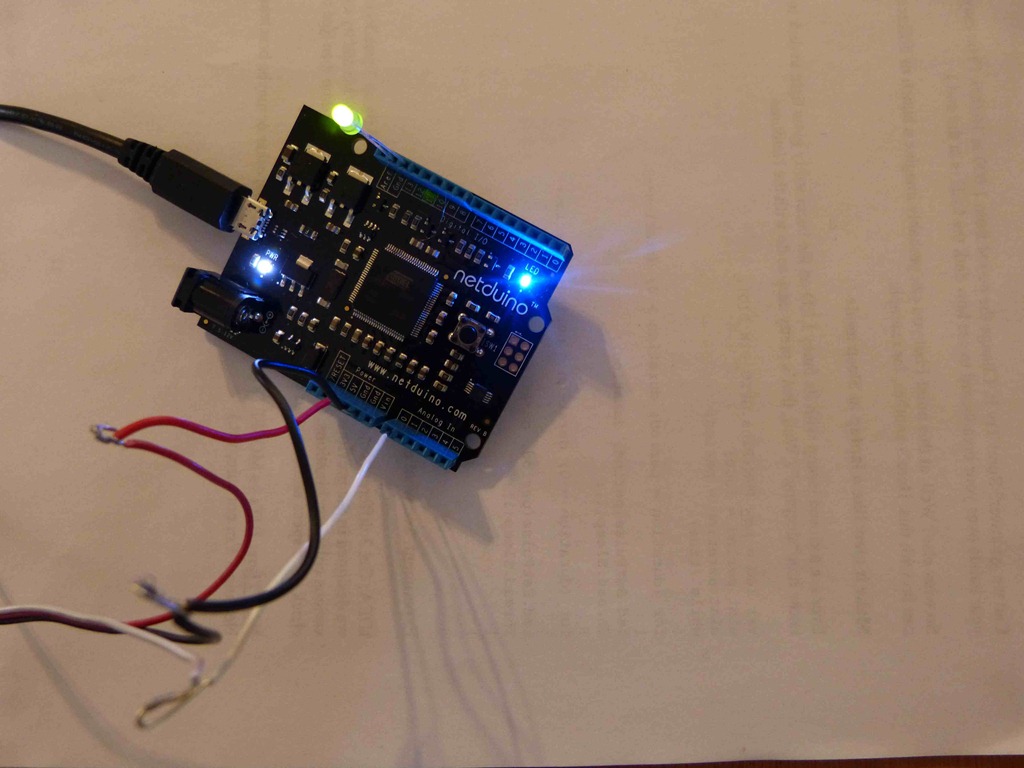
Rob Seder sent me a bunch of his old Phidget hardware last week.  It was like Christmas in February!  Since I was working with Netduino the last week, I wondered how easily Phidgets and Netduinos can interface.  In a word – very.  I took one of the sensor cables with one end Rob had already stripped and plugged the intact end into a Phidget force sensor.  I then took the stripped wires and put them into the respective ports on the Netduino (Red = 5V supply, Black = Ground, White = AnalogIn0).  The wiring looks like this:

Blog01


I then coded up a simple app like so:

private static void ReadForceSensor()
{   
    AnalogInput analogInput = new AnalogInput(Pins.GPIO_PIN_A0);
    analogInput.SetRange(0, 4095);

    OutputPort digitalOutput = new OutputPort(Pins.GPIO_PIN_D13, false);

    int inputValue = 0;
    while (true)
    {
        inputValue =  analogInput.Read();
        Debug.Print("Input = " + inputValue.ToString());
        if (inputValue > 10)
        {
            digitalOutput.Write(true);
        }
        else
        {
            digitalOutput.Write(false);
        }
        Thread.Sleep(250);
    }
}

Sure enough, the Netduino was reading the voltage coming in from the Phidget push button:

The thread '<No Name>' (0x2) has exited with code 0 (0x0).
Input = 0
Input = 0
Input = 0
Input = 0
Input = 12
Input = 2097
Input = 4095
Input = 4095
Input = 12
Input = 0
Input = 4
Input = 3350
Input = 4095
Input = 4095
Input = 4095
Input = 28
Input = 0
Input = 4
Input = 0
Input = 0
Input = 0
Input = 4
Input = 0


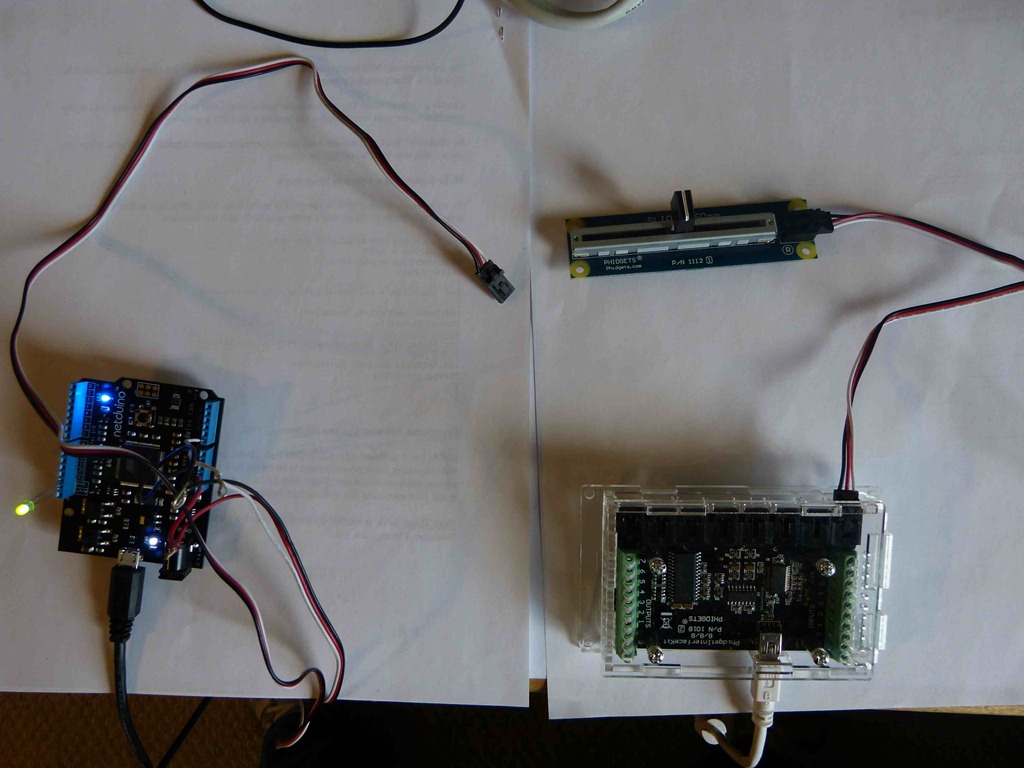
I then wanted to compare the values coming in.  Since, the integer value I set in the analogInput.SetRange determines the min and max value, I need to calibrate to the expected values of the Phidget.  I swapped out the pressure sensor for the Slider Sensor so I could hold each value. Turning to the documentation, the range for the Slider control is 0 to 1000 so I jammed those values into SetRange.

Blog02


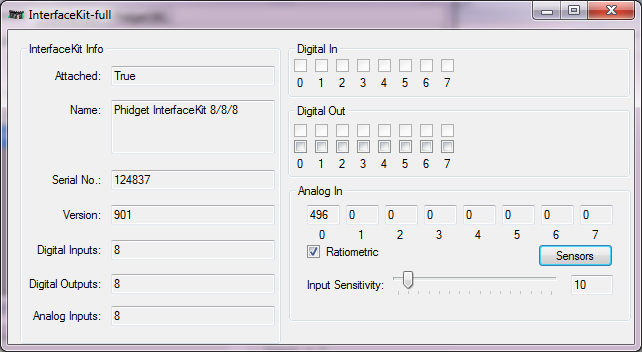
When I attached the Slider to the 8/8/8 Phidget Interface Kit (PIK), the values match exactly.  For example, putting the slider to the far right gives a value of 0, far left 1000, middle 500, etc…


image

However, detaching the slider from the PIK and hooking it up to the Netduino, I get a different value:

inputValue = 565

inputValue = 662

inputValue = 688

inputValue = 701

inputValue = 703

inputValue = 692

inputValue = 701

inputValue = 703

inputValue = 685

Not only that, when there is no sensor attached, I am still getting readings:

inputValue = 271

inputValue = 387

inputValue = 430

inputValue = 462

inputValue = 478

inputValue = 481

inputValue = 478

inputValue = 462

inputValue = 456

Something is wrong here.  When I push the slider to far right, I get 0, as expected:

inputValue = 0

inputValue = 3

inputValue = 0

inputValue = 0

inputValue = 3

inputValue = 0

but it about 75% of the way to the left, I get:

inputValue = 955

inputValue = 961

inputValue = 938

inputValue = 961

inputValue = 945

inputValue = 917

inputValue = 961

Interestingly, no matter what value I put as the top bound on SetRange, I am still getting a max out by 3/4 of the way:

inputValue = 9589

inputValue = 9550

inputValue = 9540

inputValue = 9384

inputValue = 9569

inputValue = 9384

inputValue = 9540

When you read the Technical Information on the Slider Control, it talked about the SensorValue is (Vin * 200) when you build your own analog to digital converter. I need to know the voltage reference and input voltage range.  Humm, sounds like I have to finally read the documentation

Gitting Started

I wanted to put all of Panzer General Portable on GitHub. I started with putting Git on my machine:

image

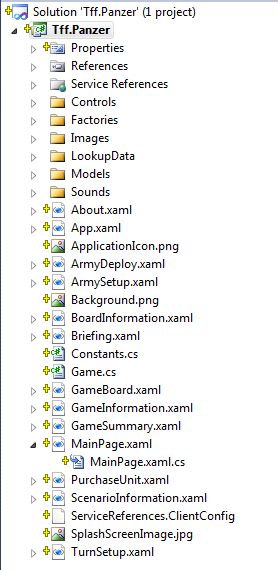
Not knowing anything about Git, I opened up Panzer General Portable and in Solution Explorer, clicked on “New Git Repository”. Suddenly, I have all these yellow plus signs next to the objects in Solution explorer:

image

I the famous words of Tommy Boy “whadyado?”

I then hoped over to Github, set up an account, and followed the instructions to install Git itself:

image

Following the directions, I created a private key.

image

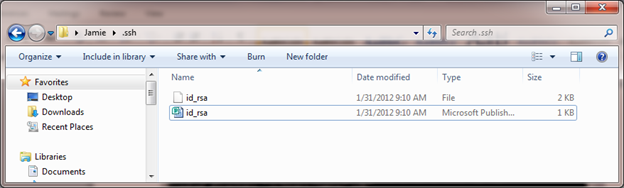
However, when I went to upload it to github, I ran into this little problem on my local file system:

image

The .pub extension is used by Microsoft publisher.

image

Doh!

I then opened with notepad – but didn’t change the file association….

image

Following the rest of the directions on GitHub, I created a Panzer General Repository:

image

And I also added .xap to extensions that are not sourced:

image

I then made a change in Visual Studio:

image

and opened Git-Pending Changes

image

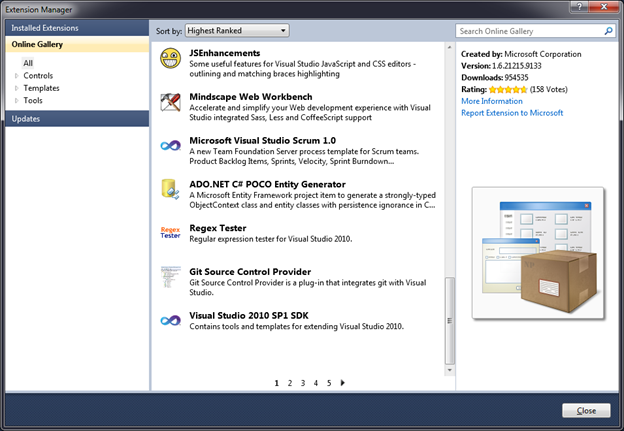
Sure enough, the changes took.  However, I am missing the critical piece – I still can’t push my changes from the local Git Repro to the GitHub one.  I went back to the directions for VS and the directions for Git and looking at the screen shots, they assume that you have Git Extensions already installed.  Oooohhhh, back to Extension Manager:

image

I then installed (and picked check boxes with impunity):

image

I then could then get all of the GitHub commands in VS2010 (Push, Pull, etc…):

image

I then tried to push my local Repro to GitHib and I got the following message:

image


I then loaded the SSH Key (making sure that I used the key generator from the existing Key from GitHub setup):

image

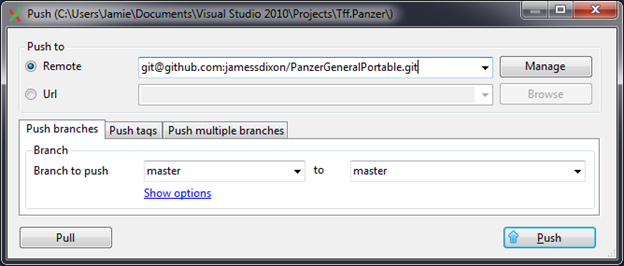
And what do you know, the project is now on Github: https://github.com/jamessdixon/PanzerGeneralPortable

Panzer General Portable: RTM!

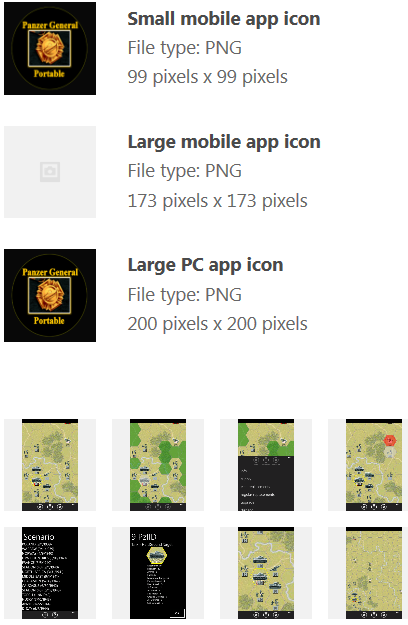
I finished the last couple of things on the game I have been developing over the last 6 months and submitted it to App Hub certification.   Since I went through the process before, this submission process was a breeze.  Here is a snapshot of the images I submitted:


image


Hopefully, it gets certified soon and it will be available for download.  The help page for the app is found here.

Curse you copy/paste gremlin!

I was on to deserializing my Windows Phone 7 game data when I ran across this oh-so helpful exception:

System.InvalidOperationException was unhandled Message=There is an error in XML document (0, 0).

And the cause?  I copy and pasted the code for both the turn class and the tiles list .  However, I didn’t update the stream name (turnStream).

IsolatedStorageFileisolatedStorageFile=IsolatedStorageFile.GetUserStoreForApplication();
//Turn
IsolatedStorageFileStreamturnStream=isolatedStorageFile.OpenFile("turn",FileMode.Open);
XmlSerializerturnSerializer=newXmlSerializer(typeof(List<Turn>));
Game.Turns=(List<Turn>)turnSerializer.Deserialize(turnStream);
 
//Tile
IsolatedStorageFileStreamtileStream=isolatedStorageFile.OpenFile("tiles",FileMode.Open);
XmlSerializertileSerializer=newXmlSerializer(typeof(List<Tile>));
Game.BoardFactory.Tiles=(List<Tile>)turnSerializer.Deserialize(turnStream);

This is another good example of why you should break out 1 task into its own function – I would have gotten a compile exception right away and wouldn’t have spent a hour chasing down ghosts in my object model and other such red herrings…