I wanted to go back to a project that I started working on <gulp> three years ago. There is a great website called the Efanchiser that translates English into Jive/VallyGirl/Sweedish Chef. There are some knock-off sites like this one, but I prefer the original. When you go through the header file (written in C) of the translation methods (not the page’s html), you can see this comment:
/* chef.x - convert English on stdin to Mock Swedish on stdout
 *
 * The WC definition matches any word character, and the NW definition matches
 * any non-word character.  Two start conditions are maintained: INW (in word)
 * and NIW (not in word).  The first rule passes TeX commands without change.
 *
 * HISTORY
 *
 * Apr 26, 1993; John Hagerman: Added ! and ? to the Bork Bork Bork rule.
 *
 * Apr 15, 1992; John Hagerman: Created.
 */
Some guy at AT&T back in the 80s came up with the code – check out this comment for the language parsing. Looks like Google and Microsoft weren’t the 1st to come up with the idea about parsing English speech 😉
/*    Copyright (c) 1989 AT&T    */
/*      All Rights Reserved      */

/*    THIS IS UNPUBLISHED PROPRIETARY SOURCE CODE OF AT&T    */
/*    The copyright notice above does not evidence any       */
/*    actual or intended publication of such source code.    */
# line 28 "chef.l"
    { BEGIN NIW; i_seen = 0;
          printf("%c\nBork Bork Bork!",yytext[0]); }
break;
case 4:

# line 31 "chef.l"
ECHO;
break;
case 5:

# line 32 "chef.l"
ECHO;
break;
case 6:

# line 34 "chef.l"
    { BEGIN INW; printf("un"); }
break;
case 7:

# line 35 "chef.l"
    { BEGIN INW; printf("Un"); }
break;
case 8:
Basically, it is one big Select…Case statement with certain words/phrases replaced and throwing the words “Bork Bork Bork” at the end. The implementation uses word positioning like this:
0};
# define YYTYPE unsigned char
struct yywork { YYTYPE verify, advance; } yycrank[] = {
0,0,    0,0,    1,7,    0,0,
0,0,    0,0,    0,0,    0,0,
0,0,    0,0,    0,0,    1,8,
9,34,    0,0,    0,0,    0,0,
0,0,    0,0,    0,0,    0,0,
15,39,    0,0,    0,0,    0,0,
0,0,    0,0,    0,0,    0,0,
0,0,    15,0,    0,0,    39,0,
0,0,    1,7,    1,9,    0,0,
0,0,    0,0,    0,0,    0,0,
1,10,    0,0,    0,0,    0,0,
0,0,    0,0,    3,7,    0,0
Which is pretty cool but really hard to duplicate or extend.
I wanted to add an old-english translator. Instead of adding to the C++ project, I thought of creating a WCF Service that creates an Old-English translation using C#.
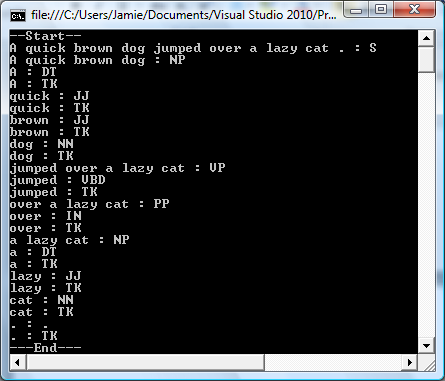
My first step was to find a natural language parser that can break the input sentence into its words and tag each word as a part of speech. A quick bing search found a couple of options:
· There is another codeplex project that uses Pyton called ConceptNetUtils found here. I really don’t want to learn Python for this.
There are more hits, but the quality of the sites gets worse and worse.
Biting the bullet, I decided to use the SNLP project from codeplex and therefore use the MEM on my local file system. A great example is found here. Perhaps as a follow up project I will abstract the MEM from the file system. I did have to peek at the MEM to see if it would be an easy port – here is one of the files in notepad:
Bummer – looks like that project will be harder said than done….
So I added the directories to my source folder and hit F5 – sure enough it worked. I then started to dive into the examples and see how the API was structured. That is the subject of my next post.
To get an idea of how to make an English phrase an old English phrase, I turned to Bing. There are a couple of sites that translate individual words (like this one). I also got a laugh because there are TONS of sites that willtranslate Shakespeare to modern English – doubtlessly helping High School English students everywhere.
There are obviously other things I could do to make the Old English better, but I thought I would start with the basics.












 Jamie Dixon's Home