Wake County School Report Cards Using R

Recently Wake County School Systems released a “school report card” that can be used to compare how well a school is doing relative to the other schools in the state. As expected, it made front-page news in our local newspaper here.  The key theme was that schools that have kids from poorer families have worse results than schools from more affluent families.  Though this shouldn’t come as a surprise, the follow-up op eds were equally predictable: more money for poorer schools, changing the rating scale, etc..

I thought it would be an interesting data set to analyze to see if the conclusion that the N&O came up with was, in fact, the only conclusion you can get out of the dataset..  Since they did simple crosstab analysis, perhaps there was some other analysis that could be done?  I know that news paper articles are at a pretty low level reading level and perhaps they are also written at a low analytical level also?  I went to the website to download the data here and quickly ran into two items:

1) The dataset is very limited –> there are only 3 creditable variables in the dataset (county, free and reduced percent, and the school score).  It is almost as if the dataset was purposely limited to only support the conclusion.

2) The dataset is shown in a way that alternative analysis is very hard.  You have to install Tableau if you want to look the data yourself.  Parsing Tableau was a pain because even with Fiddler, they don’t render the results as HTML with some tags but as images.

Side Note –> My guess is that Tableau is trying to be the Flash for the analytics space.  I find it curious that companies/organizations that think they are just “one tool away” from good analytics.   Even the age of Watson,  it is never the tooling – it is always the analyst that determines the usefulness of a dataset.  It would much better if WCPSS embraced open data and had higher expectations of the people using the datasets.

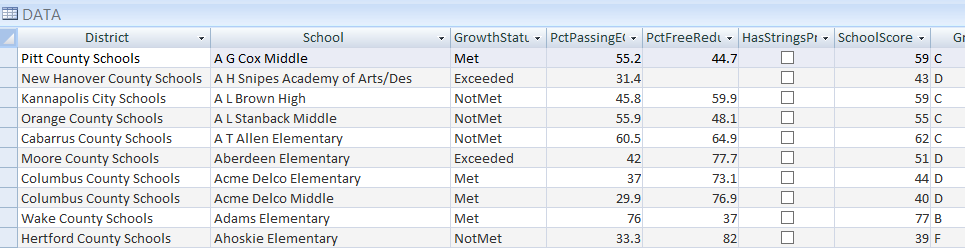
In any event, with the 14 day trial of Tableau, I could download into Access.  I then exported the data into a .txt file (where it should have been in the 1st place).  I the pumped it into R Studio like so:

image

I then created 2 variables from the FreeAndReducedLunch and SchoolScores vectors.  When I ran the correlation the 1st time, I got an NA, meaning that there are some mal-formed data. 

image

I re-ran the correlation using only complete data and sure enough, there is a creditable correlation –> higher the percent of free and reduced lunch, the lower the score.  The N&O is right. 

image

I then added a filter to only look at Wake County and there is even a stronger correlation in Wake County than the state as a whole:

image

As I mentioned earlier, the dataset was set up for a pre-decided conclusion by limited the number of independent variables and the choice of using Tableau as the reporting mechanism.  I decided to augment the dataset with additional information.  My son plays in TYO and I unsuccessful tried to set up an orchestra at our local elementary school 8 years ago.  I also thought of this article where  some families tried to get more orchestras in Wake County schools.  Fortunately, the list of schools with orchestra can be found here and it did not take very long to add an “HasAnStringsProgram” field to the dataset.

image

Running a correlation for just the WCPSS schools shows that there is no relationship  between a school having an orchestra and their performance grade. 

image

So the statement by the parents in the N&O like this

… that music students have higher graduation rates, grades and test scores …

might be true for all music but a specialized strings program does not seem to impact the school’s score –> at least with this data.

Record Types and Serialization -> F# to C#

I was working on an exercise where I have a F# component being consumed by an MVC web application written in C#.   As I already asked about here, the CLIMutable is a great feature to the F# language spec.  I created a basic record type with the CLIMutable attribute like so:

1 [<CLIMutable>] 2 type Account = {Number:int; Holder:string; Amount:float}

I then create an instance of that type in the controller written in C#:

1 public class AccountController : ApiController 2 { 3 [HttpGet] 4 public Account Index() 5 { 6 var account = new Account(); 7 account.Amount = 100; 8 account.Holder = "Homer"; 9 account.Number = 1; 10 return account; 11 } 12 }

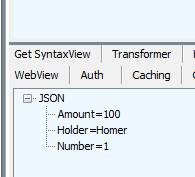
When I write the site and call the method via Fiddler, I get a nasty “@” symbol added to the end of the name:

image

which is no good.  I then thought of my question on SO and Mark Seeman’s blog post on this topic found here.  I added this to the WebApiConfig class

1 public static void Register(HttpConfiguration config) 2 { 3 // Web API configuration and services 4 GlobalConfiguration.Configuration.Formatters.JsonFormatter.SerializerSettings.ContractResolver = 5 new Newtonsoft.Json.Serialization.CamelCasePropertyNamesContractResolver(); 6 7 // Web API routes 8 config.MapHttpAttributeRoutes(); 9 10 config.Routes.MapHttpRoute( 11 name: "DefaultApi", 12 routeTemplate: "api/{controller}/{id}", 13 defaults: new { id = RouteParameter.Optional } 14 ); 15 }

And the “@” symbol goes away

image

The next task was to add in option types.  I updated the class like so:

1 [<CLIMutable>] 2 type Account = {Number:int;Holder:string option;Amount:float}

I then added a F# class to do the assignment of the value

1 type AccountRepository() = 2 member this.GetAccount() = 3 {Number=1;Holder=Some "Homer"; Amount=100.}

And then updated the controller:

1 [HttpGet] 2 public Account Index() 3 { 4 AccountRepository repository = new AccountRepository(); 5 return repository.GetAccount(); 6 }

And I get this:

image

Which is not what my UI friends want.  They want the same value for the json –> they want to ignore the existence of the option type.  Fair enough. I hit up stack overflow here and Sven had a great answer pointing me to Isaac Abraham’s serializer found here.  I popped that puppy into the project and updated the WebApiConfig like so:

1 var formatter = GlobalConfiguration.Configuration.Formatters.JsonFormatter; 2 formatter.SerializerSettings.ContractResolver = new DefaultContractResolver(); 3 formatter.SerializerSettings.Converters.Add(new IdiomaticDuConverter());

And boom goes the dynamite.

clip_image002

Logentries.com and F#

I recently was working on a project that has a fair bit of legacy code.  One of the pieces of the project is an logging service whose interface is this:

1 public interface ILoggingRepository 2 { 3 void LogMessage(String message); 4 void LogException(String message, Exception exception); 5 }


There are 2 or 3 different implementations of the logging repository – one that covers the windows logs, one that writes to azure service bus, one that writes to nothing (and in-memory one used for testing).  I thought about using Logentries as place to write the messages to.  I created an account and set up my first log

image image

Note that the log also gets a token (a guid) that I will use to send messages to the log at the bottom of the page.

I then fired up visual studio and created a new FSharp project and added a reference from the CSharp project to the FSharp project.  I then added an associated unit test class to the existing unit test project:

image

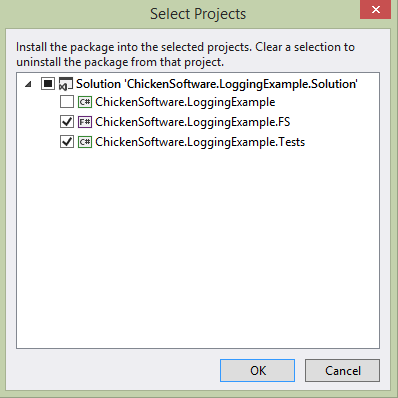
I then went back to Logentries and read the api documentation about posting to the log here.   They suggested either log4net or NLog.  For no particular reason, I picked NLog.  I fired up Nuget and installed the Logentries.NLog package

image

I then read further down the documentation and yuck, there is tons of places where you have to add to the configuration file.  I am trying to maintain a clean separation of concerns in the app and this intertwines the working code with the .config file.  Also, the other implementations don’t use the .config so I would like to keep consistant there.  After bouncing around in the api for a bit, I went to stack overflow and asked if there was a way I could implement without the .config file.  Sure enough, the dev team was kind enough to answer.  I went ahead and implemented their code (after porting it from C#)  in my project like so:

1 namespace ChickenSoftware.LoggingExample.FS 2 3 open NLog 4 open System 5 open NLog.Targets 6 open NLog.Config; 7 open ChickenSoftware.LoggingExample 8 9 type LogEntriesLoggingRepository(logEntriesToken:string) = 10 let target = new LogentriesTarget() 11 let config = new LoggingConfiguration() 12 do target.Token <- logEntriesToken 13 do target.Ssl <- true 14 do target.Debug <- true 15 do target.Name <- "Logentries" 16 let layout = Layouts.Layout.FromString("${date:format=ddd MMM dd} ${time:format=HH:mm:ss} ${date:format=zzz yyyy} ${logger} : ${LEVEL}, ${message}") 17 do target.Layout <- layout 18 do target.HttpPut <- false 19 do config.AddTarget("Logentries2",target) 20 let loggingRule = new LoggingRule("*", LogLevel.Debug, target) 21 do LogManager.Configuration.AddTarget("targetName", target) 22 do LogManager.Configuration.LoggingRules.Add(loggingRule) 23 do LogManager.Configuration.Reload() |> ignore 24 let logger = LogManager.GetCurrentClassLogger() 25 26 interface ILoggingRepository with 27 member this.LogMessage(message) = 28 logger.Log(LogLevel.Warn, message) 29 member this.LogException(message, exn) = 30 logger.LogException(LogLevel.Error,message,exn)

I then went into the unit test and attempted to generate a log message:

1 public class LogEntriesLoggingRepositoryTests 2 { 3 ILoggingRepository _repository = null; 4 public LogEntriesLoggingRepositoryTests() 5 { 6 string logEntriesToken = "XXXXXXXXXXXXXXXXXXXXXXXXXXXXXXXXXX"; 7 _repository = new LogEntriesLoggingRepository(logEntriesToken); 8 } 9 10 [TestMethod] 11 public void LogMessage_ReturnsExpected() 12 { 13 _repository.LogMessage("This is a test"); 14 15 } 16 }

Unfortunately, when I ran it, I got the following exception, even though I marked the .dlls to be copied

image image

So back to Nuget, where I added in the Logentries.NLog to the Tests project.  I feel really dirty by doing it:

image

I then ran the test again but I got this exception:

image

When I added a break to the code and stepped through, I found it was on the LogManager.Configuration.

image

Apparently, the only way out of this pickle is to add some basic entries to the .config file <sigh>:

1 <?xml version="1.0" encoding="utf-8"?> 2 <configuration> 3 <configSections> 4 <section name="nlog" type="NLog.Config.ConfigSectionHandler, NLog" /> 5 </configSections> 6 <runtime> 7 <assemblyBinding xmlns="urn:schemas-microsoft-com:asm.v1"> 8 <dependentAssembly> 9 <assemblyIdentity name="NLog" publicKeyToken="5120e14c03d0593c" culture="neutral" /> 10 <bindingRedirect oldVersion="0.0.0.0-2.1.0.0" newVersion="2.1.0.0" /> 11 </dependentAssembly> 12 </assemblyBinding> 13 </runtime> 14 <nlog> 15 <extensions> 16 <add assembly="LogentriesNLog" /> 17 </extensions> 18 <targets> 19 <target name="logentries" type="Logentries" debug="true" httpPut="false" ssl="false" layout="${date:format=ddd MMM dd} ${time:format=HH:mm:ss} ${date:format=zzz yyyy} ${logger} : ${LEVEL}, ${message}" /> 20 </targets> 21 <rules> 22 <logger name="*" minLevel="Debug" appendTo="logentries" /> 23 </rules> 24 </nlog> 25 </configuration>

After I added it, the test ran green.

image

Alas, nothing was showing up in the log!

image

After some back and forth with the Logentries team, it became clear that the thread was terminating before the Logentries library had a chance to post it to the service.  This was proven by adding a Thread.Sleep to the test:

1 public void LogMessage_ReturnsExpected() 2 { 3 _repository.LogMessage("This is a test"); 4 Thread.Sleep(500); 5 6 }

image

So what to do?  The api does not have an async implementation so I can’t await it and if I leave that Thread.Sleep as is, the main thread will be blocked.  I decided to add an async implementation to the interface

1 public interface ILoggingRepository 2 { 3 void LogMessage(String message); 4 Task LogMessageAsync(String message); 5 void LogException(String message, Exception exception); 6 Task LogExceptionAsync(String message, Exception exception); 7 }

I then updated the repository like so:

1 interface ILoggingRepository with 2 member this.LogMessage(message) = 3 logger.Log(LogLevel.Warn, message) 4 member this.LogMessageAsync(message) = 5 Tasks.Task.Run(fun _ -> logger.Log(LogLevel.Warn, message) 6 Thread.Sleep(500)) 7 member this.LogException(message, exn) = 8 logger.LogException(LogLevel.Error,message,exn) 9 member this.LogExceptionAsync(message, exn) = 10 Tasks.Task.Run(fun _ -> logger.LogException(LogLevel.Error,message,exn) 11 Thread.Sleep(500))

And then I added an async unit test like so:

1 [TestMethod] 2 public void LogMessageAsync_ReturnsExpected() 3 { 4 var task = _repository.LogMessageAsync("This is an async test"); 5 task.Wait(); 6 }

And sure enough, green (note that the async test takes longer than 500MS) and the expected side-effect:

image 

image

So now another CSharp shop has some FSharp sprinkled into their code base.  Note the code actually used is slightly different b/c  the code as written will keep adding more and more targets, which is not what we want.

F# Record Types with SqlProvider Code-Last

As I talked about last week, I was looking at different ways of using the Entity Framework type provider to map to my domain model.  While I was working on the process,  Ross McKinley saw some of my whining on Twitter and suggested that I take a look at SqlProvider.

 image

He made a good case to use this type provider over entity framework.  Specifically:

  • There is no code bloat/file bloat/code-gen issues that you get with EF
  • It targets Sql Server like EF, but also can handle Oracle, Postgres, MySql, and other RDBMS
  • It has had a update in the last year

So that was a good enough reason to take a look.  The project site is a bit lacking in terms of examples but between what is on GitHub and on Ross’s blog, you can get a pretty good idea of how to accomplish basic crud tasks.  I was interested in how well it handles nested types and F# choice types.  I fired up Visual Studio and installed it from nuget.

I then created the same domain types I was working with earlier –> note the Choice type for gender.

1 #r "../packages/SQLProvider.0.0.9-alpha/lib/net40/FSharp.Data.SqlProvider.dll" 2 3 open System.Linq 4 open FSharp.Data.Sql 5 open System.Security.Principal 6 7 type sqlSchema = SqlDataProvider< 8 ConnectionString = @"Server=.;Database=FamilyDomain;Trusted_Connection=True;", 9 UseOptionTypes = true > 10 11 let context = sqlSchema.GetDataContext() 12 13 //Local Idomatic Types 14 type Gender = Male | Female 15 [<CLIMutable>] 16 type Pet = {Id:int; ChildId:int; GivenName:string} 17 [<CLIMutable>] 18 type Child = {Id:int; FirstName:string; Gender:Gender; Grade:int; Pets: Pet list} 19 [<CLIMutable>] 20 type Address = {Id:int; State:string; County:string; City:string} 21 [<CLIMutable>] 22 type Parent = {Id:int; FirstName:string} 23 [<CLIMutable>] 24 type Family = {Id:int; LastName:string; Parents:Parent list; Children: Child list; Address:Address} 25 26

I then added in the same code that I used for the Entity Framework Type Provider, made some changes (like you get subtypes via querying the foreign key and I am not using Linq to query the data store

1 let MapPet(efPet: entity.dataContext.``[dbo].[Pet]Entity``) = 2 {Id=efPet.Id; ChildId=efPet.ChildId; GivenName=efPet.GivenName} 3 4 let MapGender(efGender) = 5 match efGender with 6 | "Male" -> Male 7 | _ -> Female 8 9 let MapChild(efChild: entity.dataContext.``[dbo].[Child]Entity``) = 10 let pets = efChild.fk_Pet_Child |> Seq.map(fun p -> MapPet(p)) 11 |> Seq.toList 12 {Id=efChild.Id; FirstName=efChild.FirstName; 13 Gender=MapGender(efChild.Gender); 14 Grade=efChild.Grade;Pets=pets} 15 16 let GetPet(id: int)= 17 context.``[dbo].[Pet]`` 18 |> Seq.where(fun p -> p.Id = id) 19 |> Seq.head 20 |> MapPet 21 22 let GetChild(id: int)= 23 context.``[dbo].[Child]`` 24 |> Seq.where(fun c -> c.Id = id) 25 |> Seq.head 26 |> MapChild 27 28 let myPet = GetPet(1) 29 30 let myChild = GetChild(1)

image

And then I added some code to insert a new pet

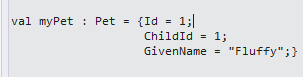
1 let SavePet(pet: Pet)= 2 let ssPet = context.``[dbo].[Pet]``.Create() 3 ssPet.ChildId <- pet.ChildId 4 ssPet.GivenName <- pet.GivenName 5 context.SubmitUpdates() 6 7 let newPet = {Id=0;ChildId=1;GivenName="Kiss"} 8 SavePet(newPet) 9 10 let failurePet = {Id=0;ChildId=0;GivenName="Should Fail"} 11 SavePet(failurePet)

And pow on the expected happy path

image

and pow pow on the expected exception

System.Data.SqlClient.SqlException (0x80131904): The INSERT statement conflicted with the FOREIGN KEY constraint "fk_Pet_Child". The conflict occurred in database "FamilyDomain", table "dbo.Child", column ‘Id’.

The statement has been terminated.

   at System.Data.SqlClient.SqlConnection.OnError(SqlException exception, Boolean breakConnection, Action`1 wrapCloseInAction)

So this is pretty cool.  But then it got better, I showed some of this code to Ross and he told me I was doing everything wrong.  Basically, I need to think about the get code less imperative linq and more like computed expressions.  The biggest downside to how I wrote the gets is that the TP would pull all of the records from the database locally before filtering them.  So going back to the documentation, I changed the getPet functional to this

1 let GetPet(id: int)= 2 query {for p in context.``[dbo].[Pet]`` do 3 where (p.Id = id) 4 select {Id=p.Id; ChildId=p.ChildId; GivenName=p.GivenName}} 5 |> Seq.head 6

And it still works

image

The nice thing is that I no longer need the mapPet function as the project happens in the select clause.  So this is pretty cool and very powerful.  Time to learn some more query syntax!

F# Record Types with Entity Framework Code-Last

So based on the experience with code-first, I decided to look at using EF code-last (OK, database first).   I considered three different possibilities

  1. 1) Use AutoMapper
  2. 2) Use Reflection
  3. 3) Hand-Roll everything

AutoMapper

If you are not familiar, Automapper is a library to allow you to,well, map types. The first thing I did was to create a database schema like this:

1 use FamilyDomain 2 3 CREATE TABLE Family 4 ( 5 Id int NOT NULL IDENTITY(1,1) PRIMARY KEY, 6 LastName varchar(255) NOT NULL 7 ) 8 9 CREATE TABLE Parent 10 ( 11 Id int NOT NULL IDENTITY(1,1) PRIMARY KEY, 12 FamilyId int NOT NULL, 13 FirstName varchar(255) NOT NULL 14 ) 15 16 CREATE TABLE Child 17 ( 18 Id int NOT NULL IDENTITY(1,1) PRIMARY KEY, 19 FamilyId int NOT NULL, 20 FirstName varchar(255) NOT NULL, 21 Gender varchar(10) NOT NULL, 22 Grade int NOT NULL 23 ) 24 25 CREATE TABLE Pet 26 ( 27 Id int NOT NULL IDENTITY(1,1) PRIMARY KEY, 28 ChildId int NOT NULL, 29 GivenName varchar(255) NOT NULL 30 ) 31 32 CREATE TABLE HomeAddress 33 ( 34 Id int NOT NULL IDENTITY(1,1) PRIMARY KEY, 35 FamilyId int NOT NULL, 36 StateCode varchar(2) NOT NULL, 37 County varchar(255) NOT NULL, 38 City varchar(255) NOT NULL 39 ) 40 41 ALTER TABLE Parent 42 ADD CONSTRAINT fk_Parent_Family 43 FOREIGN KEY (FamilyId) 44 REFERENCES Family(Id) 45 46 ALTER TABLE HomeAddress 47 ADD CONSTRAINT fk_HomeAddress_Family 48 FOREIGN KEY (FamilyId) 49 REFERENCES Family(Id) 50 51 ALTER TABLE Child 52 ADD CONSTRAINT fk_Child_Family 53 FOREIGN KEY (FamilyId) 54 REFERENCES Family(Id) 55 56 ALTER TABLE Pet 57 ADD CONSTRAINT fk_Pet_Child 58 FOREIGN KEY (ChildId) 59 REFERENCES Child(Id) 60 61 62 INSERT Family VALUES 63 ('Andersen') 64 65 INSERT Parent VALUES 66 (1,'Thomas'), 67 (1,'Mary Kay') 68 69 INSERT Child VALUES 70 (1,'Henriette Thaulow','Female',5) 71 72 INSERT Pet VALUES 73 (1,'Fluffy') 74 75 INSERT HomeAddress VALUES 76 (1,'WA','King','Seattle') 77

I then  installed automapper and entity framework type provider to a FSharp project.

1 #r @"../packages/AutoMapper.3.3.0/lib/net40/AutoMapper.dll" 2 #r "FSharp.Data.TypeProviders.dll" 3 #r "System.Data.Entity.dll" 4 5 open Microsoft.FSharp.Data.TypeProviders 6 open System.Data.Entity 7 open AutoMapper 8 9 //Entity Framework Types via Type Provider 10 let connectionString = @"Server=.;Initial Catalog=FamilyDomain;Integrated Security=SSPI;MultipleActiveResultSets=true" 11 type EntityConnection = SqlEntityConnection<ConnectionString="Server=.;Initial Catalog=FamilyDomain;Integrated Security=SSPI;MultipleActiveResultSets=true",Pluralize=true> 12

I then created some local FSharp record types the reflect the domain:

1 type Pet = {Id:int; GivenName:string} 2 type Child = {Id:int; FirstName:string; Gender:string; Grade:int; Pets: Pet list} 3 type Address = {Id:int; State:string; County:string; City:string} 4 type Parent = {Id:int; FirstName:string} 5 type Family = {Id:int; Parents:Parent list; Children: Child list; Address:Address}

So then I was ready to start mapping.  I started with a basic GET to a single type:

1 //AutoMapper setup 2 Mapper.CreateMap<EntityConnection.ServiceTypes.HomeAddress, Address>() 3 4 //Get one from the database 5 let context = EntityConnection.GetDataContext() 6 let addressQuery = query {for address in context.HomeAddresses do select address} 7 let address = Seq.head addressQuery 8 9 //map database to record type 10 let address' = Mapper.Map<Address>(address) 11

And I got a fail:

Source value:

SqlEntityConnection1.HomeAddress —> System.ArgumentException: Type needs to have a constructor with 0 args or only optional args

Parameter name: type

So I added [<CLIMutable>] to the record types like so

1 [<CLIMutable>] 2 type Pet = {Id:int; GivenName:string} 3 [<CLIMutable>] 4 type Child = {Id:int; FirstName:string; Gender:string; Grade:int; Pets: Pet list} 5 [<CLIMutable>] 6 type Address = {Id:int; State:string; County:string; City:string} 7 [<CLIMutable>] 8 type Parent = {Id:int; FirstName:string} 9 [<CLIMutable>] 10 type Family = {Id:int; Parents:Parent list; Children: Child list; Address:Address} 11

And I get the expected results

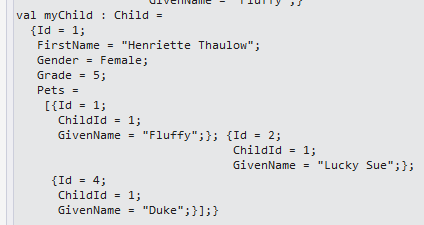
image

With one thing kinda interesting.  The State is null because it is defined as “StateCode” on the server and “State” in the domain.  Autopmapper is customizable to allow field name differences so that was a small issue.  Feeling confident, I went ahead and created maps to all of the domain types and pulled down a complex type from the database

1 //AutoMapper setup 2 Mapper.CreateMap<EntityConnection.ServiceTypes.Pet, Pet>() 3 Mapper.CreateMap<EntityConnection.ServiceTypes.Child, Child>() 4 Mapper.CreateMap<EntityConnection.ServiceTypes.HomeAddress, Address>() 5 Mapper.CreateMap<EntityConnection.ServiceTypes.Parent, Parent>() 6 Mapper.CreateMap<EntityConnection.ServiceTypes.Family, Family>() 7 8 //Get Family from the database 9 let context = EntityConnection.GetDataContext() 10 let familyQuery = query {for family in context.Families do select family} 11 let family = Seq.head familyQuery 12 13 //map database to record type 14 let family' = Mapper.Map<Family>(family)

When I attempted to map it, I got a pretty ugly exception

Source value:

System.Data.Objects.DataClasses.EntityCollection`1[SqlEntityConnection1.Parent]

   at AutoMapper.MappingEngine.AutoMapper.IMappingEngineRunner.Map(ResolutionContext context)

So the problem is that automapper is not picking up on the foreign keys, which means I have to write the associations by hand.  Ugh!  I then tried to auto map to F# choice types like this:

1 type Gender = Male | Female

No dice.

Reflection

I quickly spun up another project that uses System.Reflection to map the types.

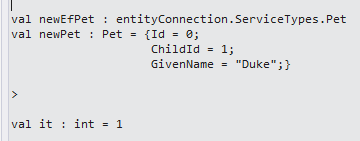
1 #r "System.Data.Entity.dll" 2 #r "FSharp.Data.TypeProviders.dll" 3 4 open System.Reflection 5 open System.Data.Entity 6 open Microsoft.FSharp.Data.TypeProviders 7 8 let connectionString = "Server=.;Database=FamilyDomain;Trusted_Connection=True;" 9 10 type entityConnection = SqlEntityConnection<ConnectionString = "Server=.;Database=FamilyDomain;Trusted_Connection=True;"> 11 12 let context = entityConnection.GetDataContext() 13 14 //Local Idomatic Types 15 [<CLIMutable>] 16 type Pet = {Id:int; ChildId:int; GivenName:string} 17 [<CLIMutable>] 18 type Child = {Id:int; FirstName:string; Gender:string; Grade:int; Pets: Pet list} 19 [<CLIMutable>] 20 type Address = {Id:int; State:string; County:string; City:string} 21 [<CLIMutable>] 22 type Parent = {Id:int; FirstName:string} 23 [<CLIMutable>] 24 type Family = {Id:int; LastName:string; Parents:Parent list; Children: Child list; Address:Address} 25 26 //Reflection 27 let AssignMatchingPropertyValues sourceObject targetObject = 28 let sourceType = sourceObject.GetType() 29 let targetType = targetObject.GetType() 30 let sourcePropertyInfos = sourceType.GetProperties(BindingFlags.Public ||| BindingFlags.Instance) 31 sourcePropertyInfos 32 |> Seq.map(fun spi -> spi, targetObject.GetType().GetProperty(spi.Name)) 33 |> Seq.iter(fun (spi,tpi) -> tpi.SetValue(targetObject, spi.GetValue(sourceObject,null),null)) 34 targetObject 35 36 37 let newEfPet = entityConnection.ServiceTypes.Pet() 38 let newPet = {Id=0;ChildId=1;GivenName="Duke"} 39 40 AssignMatchingPropertyValues newPet newEfPet 41 42 context.DataContext.AddObject("Pet",newEfPet) 43 context.DataContext.SaveChanges()

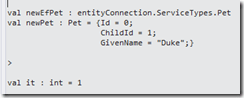
Sure enough, reflection does what it is supposed to do:
image

The problem quickly becomes that by using reflection, I have to hand roll all of the relations.  I might as well use Automapper (though apparently reflection is much faster than Automapper, even on a per-call basis).

Another problem with using reflection is that the field names in the database need to match the domain naming exactly.  Finally, like automapper, there is not out of the box way to map choice types

Hand Roll

On my last stop of the entity framework code-last hit parade, I looked at what it would take to roll my own mappings.  This has the greatest amount of yak shaving because I would have to spin up mapping from the domain and to the domain.  The nice thing is that with that kind of detail, naming mismatches can be handled and the nested hierarchy and choice types are accounted for.  I first started with a basic script that handled the gettting and setting as well as nested types:

1 #r "System.Data.Entity.dll" 2 #r "FSharp.Data.TypeProviders.dll" 3 4 open System.Linq 5 open System.Data.Entity 6 open Microsoft.FSharp.Data.TypeProviders 7 8 let connectionString = "Server=.;Database=FamilyDomain;Trusted_Connection=True;" 9 type entity = SqlEntityConnection<ConnectionString = "Server=.;Database=FamilyDomain;Trusted_Connection=True;"> 10 let context = entity.GetDataContext() 11 12 type Pet = {Id:int; ChildId: int; GivenName:string} 13 type Child = {Id:int; FirstName:string; Gender:string; Grade:int; Pets: Pet list} 14 type Address = {Id:int; State:string; County:string; City:string} 15 type Parent = {Id:int; FirstName:string} 16 type Family = {Id:int; LastName:string; Parents:Parent list; Children: Child list; Address:Address} 17 18 let MapPet(efPet: entity.ServiceTypes.Pet) = 19 {Id=efPet.Id; ChildId=efPet.ChildId; GivenName=efPet.GivenName} 20 21 let MapChild(efChild: entity.ServiceTypes.Child) = 22 let pets = efChild.Pet |> Seq.map(fun p -> MapPet(p)) 23 |> Seq.toList 24 {Id=efChild.Id; FirstName=efChild.FirstName; 25 Gender=efChild.Gender;Grade=efChild.Grade;Pets=pets} 26 27 let GetPet(id: int)= 28 let efPet = context.Pet.FirstOrDefault(fun p -> p.Id = id) 29 MapPet(efPet) 30 31 let GetChild(id: int)= 32 let efChild = context.Child.FirstOrDefault(fun c -> c.Id = id) 33 MapChild(efChild) 34 35 let myPet = GetPet(1) 36 37 let myChild = GetChild(1) 38

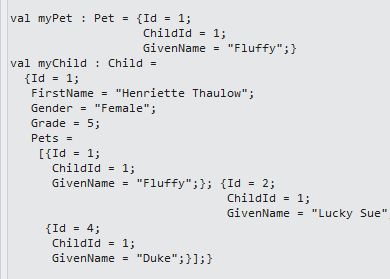
Of all of the implementations, the hand-rolled actually made the most sense to me.  it was clean and, most importantly, it worked.

image

I then swapped out a Choice type for gender (was a string)

1 type Gender = Male | Female 2 type Pet = {Id:int; ChildId: int; GivenName:string} 3 type Child = {Id:int; FirstName:string; Gender:Gender; Grade:int; Pets: Pet list} 4 type Address = {Id:int; State:string; County:string; City:string} 5 type Parent = {Id:int; FirstName:string} 6 type Family = {Id:int; LastName:string; Parents:Parent list; Children: Child list; Address:Address} 7

And then added the choice type mapping and then updated child mapping

1 let MapGender(efGender) = 2 match efGender with 3 | "Male" -> Male 4 | _ -> Female 5 6 let MapChild(efChild: entity.ServiceTypes.Child) = 7 let pets = efChild.Pet |> Seq.map(fun p -> MapPet(p)) 8 |> Seq.toList 9 {Id=efChild.Id; FirstName=efChild.FirstName; 10 Gender=MapGender(efChild.Gender); 11 Grade=efChild.Grade;Pets=pets} 12

Sure enough, it worked like a champ

image

And finally, I tested the add on both the happy path and an expected exception.

1 let SavePet(pet: Pet)= 2 let efPet = entity.ServiceTypes.Pet() 3 efPet.ChildId <- pet.ChildId 4 efPet.GivenName <- pet.GivenName 5 context.DataContext.AddObject("Pet",efPet) 6 context.DataContext.SaveChanges() 7 8 let newPet = {Id=0;ChildId=1;GivenName="Lucky Sue"} 9 SavePet(newPet) 10 11 let failurePet = {Id=0;ChildId=0;GivenName="Should Fail"} 12 SavePet(failurePet)

  Both worked as expected.  Here is the exception case where there is not a child to be associated to a pet:

System.Data.UpdateException: An error occurred while updating the entries. See the inner exception for details. —> System.Data.SqlClient.SqlException: The INSERT statement conflicted with the FOREIGN KEY constraint "fk_Pet_Child". The conflict occurred in database "FamilyDomain", table "dbo.Child", column ‘Id’.

The statement has been terminated.

   at System.Data.SqlClient.SqlConnection.OnError(SqlException exception, Boolean breakConnection, Action`1 wrapCloseInAction)

So of all three ways, hand-rolling worked the best for me.

F# Record Types With Entity Framework Code-First

I was spinning up a data layer in a new FSharp project and I thought I would take EF Code-first out for a test drive.  I have use EF-CF in a couple of C# projects so I am familiar with the premise (and the promise) of code-first.  The FSharp project uses record types, nested record types, and choice types exclusively so I I thought of attaching each of these types for code first in turn.  The first article that I ran across was this one, which seemed like a good start.  I went ahead a created a family record type like so, matching the example verbatim except I swapped out the class implementation with a record type:
 

1 #r "../packages/EntityFramework.6.1.2/lib/net45/EntityFramework.dll" 2 3 open System.Collections.Generic 4 open System.ComponentModel.DataAnnotations 5 open System.Data.Entity 6 7 type Family = {Id:int; LastName:string; IsRegistered:bool} 8 9 type CLFamily() = 10 inherit DbContext() 11 [<DefaultValue>] 12 val mutable m_families: DbSet<Family> 13 member public this.Families with get() = this.m_families 14 and set v = this.m_families <- v 15 16 let db = new CLFamily() 17 let family = {Id=0;LastName="New Family"; IsRegistered=true} 18 db.Families.Add(family) |> ignore 19 db.SaveChanges() |> ignore 20

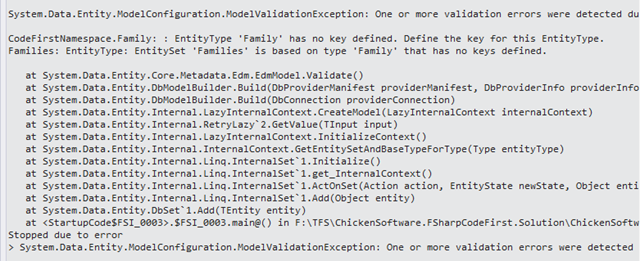
But I ran into this:

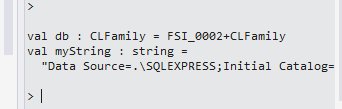
 image

image

So I added the Key attribute to the Record type

image

So I hit up stack overflow with this question and sure enough, I forgot to add a reference to that assembly.  Once I added it, then it compiled.  I then ran the script and I got the following error message:

1 <add name="CLFamily" 2 connectionString="Server=.;Database=FamilyDomain;Trusted_Connection=True;" 3 providerName="System.Data.SqlClient"/> 4


image

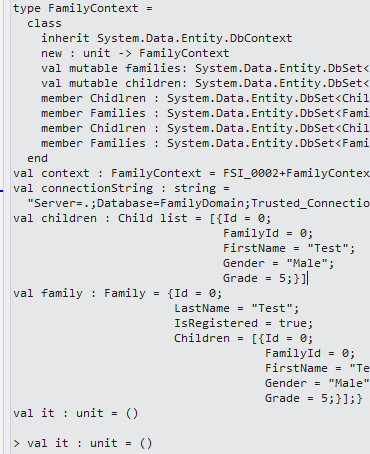
Ugh!  It was still hitting the default connection string.    I went ahead and adjusted my script to account for the connection string and I swapped out the backing values with CLIMutable:

1 #r "../packages/EntityFramework.6.1.2/lib/net45/EntityFramework.dll" 2 #r "C:/Program Files (x86)/Reference Assemblies/Microsoft/Framework/.NETFramework/v4.5.1/System.ComponentModel.DataAnnotations.dll" 3 4 open System.Collections.Generic 5 open System.ComponentModel.DataAnnotations 6 open System.Data.Entity 7 8 [<CLIMutable>] 9 type Family = {[<Key>]Id:int; LastName:string; IsRegistered:bool;} 10 11 12 type FamilyContext() = 13 inherit DbContext() 14 [<DefaultValue>] val mutable families: DbSet<Family> 15 member this.Families with get() = this.families and set f = this.families <- f 16 17 let context = new FamilyContext() 18 let connectionString = "Server=.;Database=FamilyDomain;Trusted_Connection=True;" 19 context.Database.Connection.ConnectionString <- connectionString 20 let family = {Id=0; LastName="Test"; IsRegistered=true} 21 context.Families.Add(family) |> ignore 22 context.SaveChanges() |> ignore

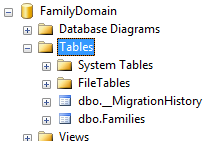
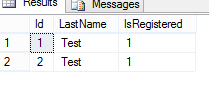
And sure enough, the table is created in the database and the record is persisted:

image image

And the cool thing is that even though this is a record type, the Id does adjust to the identity value given by the database.

With that out of the way, I went to tackle nested types.  I added a Child class and a list of children to the family class. 

1 [<CLIMutable>] 2 type Child = {[<Key>]Id:int; FamilyId: int; FirstName:string; Gender:string; Grade:int} 3 4 [<CLIMutable>] 5 type Family = {[<Key>]Id:int; LastName:string; IsRegistered:bool; Children:Child list} 6 7 type FamilyContext() = 8 inherit DbContext() 9 [<DefaultValue>] val mutable families: DbSet<Family> 10 member this.Families with get() = this.families and set f = this.families <- f 11 [<DefaultValue>] val mutable children: DbSet<Child> 12 member this.Chidlren with get() = this.children and set c = this.children <- c 13 14 let context = new FamilyContext() 15 let connectionString = "Server=.;Database=FamilyDomain;Trusted_Connection=True;" 16 context.Database.Connection.ConnectionString <- connectionString 17 let children = [{Id=0; FamilyId=0; FirstName="Test"; Gender="Male"; Grade=5}] 18 let family = {Id=0; LastName="Test"; IsRegistered=true; Children=children } 19 context.Families.Add(family) |> ignore 20 context.SaveChanges() |> ignore

Everything compiled and  ran, but the Children table was not added to the database –> though the new record was added.

image image image

Going back to stack overflow, it looks like EF Code First will not auto-update the schema unless you add some more glue code.  Ugh.  At that point, I might as well give up on code-first if all it brings is not having to write sql scripts…

Using DocumentDB With F#

DocumentDB is Microsoft’s non-sql offering on Azure.  I have limited experience with non-sql databases in general so I thought it would be a good way to try out no-sql on a real project using F#.  The first thing I noticed is that you can’t get to DocumentDB from the “old” azure portal –> you have to spin it up in the new one:

 Capture

Once I created my DocumentDB instance, I went to the getting started guide and found the code samples to accomplish the basic tasks you would expect to see in  any database product.  The getting started guide does not make it an explicit step, but you need to spin up a new FSharp project in Visual Studio and then use NuGet to get the latest SDK.

Once the NuGet package is installed, I went to a script to add the references:

1 #r "../packages/Microsoft.Azure.Documents.Client.0.9.1-preview/lib/net40/Microsoft.Azure.Documents.Client.dll" 2 #r "../packages/Newtonsoft.Json.4.5.11/lib/net40/Newtonsoft.Json.dll" 3 4 open System 5 open Microsoft.Azure.Documents 6 open Microsoft.Azure.Documents.Client 7 open Microsoft.Azure.Documents.Linq 8

And I was good to go.  The 1st thing the walk through does is to create a database:


1 let client = new DocumentClient(new Uri(endpointUrl), authKey) 2 let database = new Database() 3 database.Id <- "FamilyRegistry" 4 let requestOptions = new RequestOptions() 5 let response = client.CreateDatabaseAsync(database,requestOptions).Result 6

image

Interestingly, that new database does not show up in the Azure portal until you do a post back

image  image

which really surprised me –> I figured the new portal would use SignalR.  In any event, with the database created, I went to create a collection, which seems roughly analogous to a table in a RDBMS world:


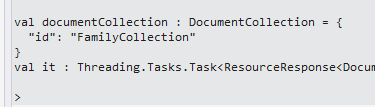
1 let documentCollection = new DocumentCollection() 2 documentCollection.Id <- "FamilyCollection" 3 client.CreateDocumentCollectionAsync(database.CollectionsLink,documentCollection,requestOptions) 4

Unfortunately, I got a oh-so-helpful null ref

System.NullReferenceException: Object reference not set to an instance of an object.

   at Microsoft.Azure.Documents.Database.get_CollectionsLink()

   at <StartupCode$FSI_0007>.$FSI_0007.main@() in C:\Users\Dixon\Desktop\ChickenSoftware.DocumentDb.Solution\

ChickenSoftware.DocumentDb\Script.fsx:line 23

Stopped due to error

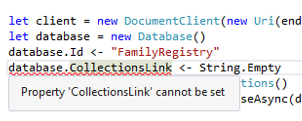
So, the CollectionsLink has to be populated, which begs the question “what the hell is a collections link?”  My first thought was to assign it a value

image

But no dice.  I then starting dotting the class and I found that there is not a response.CollectionsLink but there is a response.Resource.CollectionsLink

And sure enough, this did it.  I deleted the database on the azure portal and re-ran the create database, this time capturing the collectionsLink and now I could create a collection

1 let documentCollection = new DocumentCollection() 2 documentCollection.Id <- "FamilyCollection" 3 client.CreateDocumentCollectionAsync(response.Resource.CollectionsLink,documentCollection) 4

image

So now it is time to insert some data.  I went back to the walk-through, created some data structures, and attempted to insert them into the database:

1 type Parent = {firstName:string} 2 type Pet = {givenName:string} 3 type Child = {firstName:string; gender:string; grade: int; pets:Pet list} 4 type Address = {state:string; county:string; city:string} 5 type family = {id:string; lastName:string; parents: Parent list; children: Child list; address: Address; isRegistered:bool} 6 7 let andersenFamily = {id="AndersenFamily"; lastName="Andersen"; 8 parents=[{firstName="Thomas"};{firstName="Mary Kay"}]; 9 children=[{firstName="Henriette Thaulow";gender="female"; 10 grade=5;pets=[{givenName="Fluffy"}]}]; 11 address={state = "WA"; county = "King"; city = "Seattle"}; 12 isRegistered = true} 13 14 client.CreateDocumentAsync(documentCollection'.Resource.DocumentsLink, andersenFamily) 15

And it worked fine.  Note I still needed the documentsLink

image

And finally pulling the data out required both some sql and the documents link:

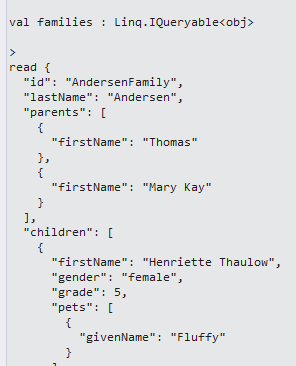
1 let queryString = "SELECT * FROM Families f WHERE f.id = \"AndersenFamily\"" 2 3 let families = client.CreateDocumentQuery(documentCollection'.Resource.DocumentsLink,queryString) 4 families |> Seq.iter(fun f -> printfn "read %A from SQL" f) 5

Gives us what we want

image

And if I only want 1 part of the results I thought to use seq.Map and case the results

1 let families = client.CreateDocumentQuery(documentCollection'.Resource.DocumentsLink,queryString) 2 families |> Seq.map(fun f -> f :?> family) 3 |> Seq.iter(fun f -> printfn "read %A from SQL" f.lastName) 4

But I am getting an exception, so I need to think about this more

System.InvalidCastException: Unable to cast object of type ‘Microsoft.Azure.Documents.QueryResult’ to type ‘family’.

   at Microsoft.FSharp.Core.LanguagePrimitives.IntrinsicFunctions.UnboxGeneric[T](Object source)

   at Microsoft.FSharp.Collections.IEnumerator.map@107.DoMoveNext(b& )

   at Microsoft.FSharp.Collections.IEnumerator.MapEnumerator`1.System-Collections-IEnumerator-MoveNext()

   at Microsoft.FSharp.Collections.SeqModule.Iterate[T](FSharpFunc`2 action, IEnumerable`1 source)

   at <StartupCode$FSI_0010>.$FSI_0010.main@()

Stopped due to error


In any event, one thing profoundly vexed me: “if I don’t have a document link to an existing database, how do I get documents out of the database?”  I started Googling around a bit and found this helpful post on Stack Overflow.

It is makes some sense then to use queries to traverse data base and collections by using queries –> esp because they are using linq.  I fired up a new script, put the stack overflow code in,

1 let client = new DocumentClient(new Uri(endpointUrl), authKey) 2 let database = client.CreateDatabaseQuery().Where(fun db -> db.Id = "FamilyRegistry" ).ToArray().FirstOrDefault() 3 printfn "%s" database.SelfLink

and wammo blamo:

image

I then went back to stack overflow to see if there was a more idiomatic way to interact with the documents and  Panagiotis Kanavos was kind of enough to answer my question here.  Of the different possibilities offered, I settled on this style:

1 let database = client.CreateDatabaseQuery() |> Seq.filter(fun db -> db.Id = "FamilyRegistry") 2 |> Seq.head 3 printfn "%s" database.SelfLink

And it works like a champ.

You can find the gist here

Moving Files Between Azure Blob Storage Using F#

Dear Future Jamie:

In case you forget (again) about how to move files from one container to another on Azure Blob Storage, here is the code:

1 //http://azure.microsoft.com/en-us/documentation/articles/storage-dotnet-how-to-use-blobs/#configure-access 2 3 #r "../packages/WindowsAzure.Storage.4.3.0/lib/net40/Microsoft.WindowsAzure.Storage.dll" 4 5 open Microsoft.WindowsAzure.Storage 6 open Microsoft.WindowsAzure.Storage.Auth 7 open Microsoft.WindowsAzure.Storage.Blob 8 open System.IO 9 10 let connectionString = "youconnectionStringHere" 11 let storageAccount = CloudStorageAccount.Parse(connectionString) 12 let blobClient = storageAccount.CreateCloudBlobClient() 13 14 let sourceContainer = blobClient.GetContainerReference("source") 15 let targetContainer = blobClient.GetContainerReference("target") 16 17 let copyBlob (sourceBlob:CloudBlockBlob) = 18 sourceBlob.FetchAttributes() 19 let blobName = sourceBlob.Name 20 let arrayLength = int sourceBlob.Properties.Length 21 let byteArray = Array.zeroCreate(arrayLength) 22 sourceBlob.DownloadToByteArray(byteArray,0) |> ignore 23 24 let targetBlob = targetContainer.GetBlockBlobReference(blobName) 25 targetBlob.UploadFromByteArray(byteArray,0,arrayLength) 26 27 let sourceBlobs = sourceContainer.ListBlobs() 28 sourceBlobs |> Seq.map(fun b -> b :?> CloudBlockBlob) 29 |> Seq.iter(fun b -> copyBlob b) 30 31 32 let result = targetContainer.ListBlobs() 33 Seq.length result

Love,

Jamie from Dec 2014

PS: You really should exercise more….

Introduction to (part of) IBM Watson

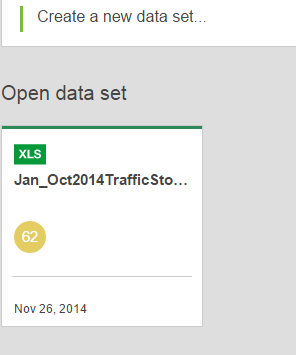
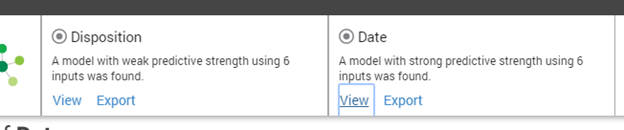
Recently, I joined the IBM Watson beta program (you can join too here) to see what it had to offer.  It looks like IBM is using the “Watson” word to cover a broad array of analytical and machine learning capabilities.  One area that Watson is used is to do statistical analysis without knowing any programming and/or statistics.  For example, I went into their portal and uploaded a new dataset that I just got from the Town Of Cary regarding traffic stops:

image image

image

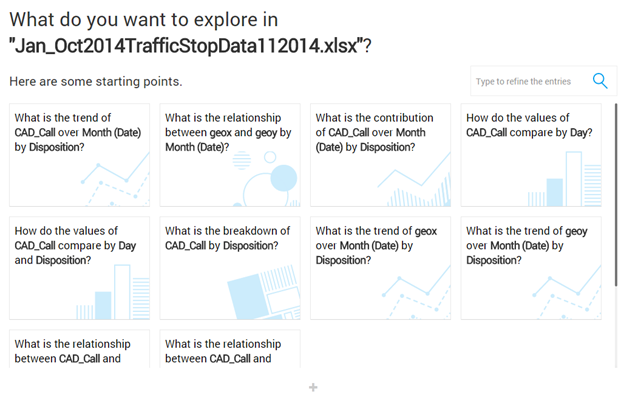
I then hit the “New Exploration” button just to see what would happen and voila, I have graphs!

image 

image

image


So this is kind interesting, they seem to use both modeling sweeping and parameter sweeping and then use natural language questions to explore the dataset.  This is quite impressive as it allows someone to who nothing about statistics to ask questions and get answers.  I am not sure if there is a way to drill down into the models to tweet the questions nor does there look to be a way to consume the results.  Instead, it looks like a management dashboard.  So it is a bit like when you view the results of a dataset, they have taken it to the n degree.

I then went back and hit the “Create a Prediction” button

image

I picked a random y variable (“disposition) with the default values and voila, graphs:

image

Interestingly, it does some sweeping and it picked up that the PrimaryKey is correlated with date – which would make sense since the date is part of the PK value 🙂

image

In any event, I think this is a cool entry into the machine learning space from IBM.  They really have done a good job in making data science accessible.  Now, if they could put their weight into “Open Data” so there are lots of really cool datasets to analyze available, they would really position themselves well in an emerging market.  I can’t wait to dig in even more with  Watson…

Using IBM’s Watson With F#


I think everyone is aware of IBM’s Watson from its appearance on Jeopardy.  Apparently, IBM has made the Watson Api available for developers if you sign up here.  Well, there goes my Sunday morning!  I signed up and after one email confirm later, I was in. 
IBM has tied Watson to something called “Blue Mix”, which looks to be a full-service suite of applications from deployment to hosting .  When I looked at the api documentation here, I decided to use the language translation service as a good “hello world” project.  Looking at the api help page, I was hoping just to make a request and get a response with a auth token in the header, like every other api in the world.  However, the documentation really leads you down a path of installing the Watson Explorer on your local machine, and a create a blue mix project, etc.. 
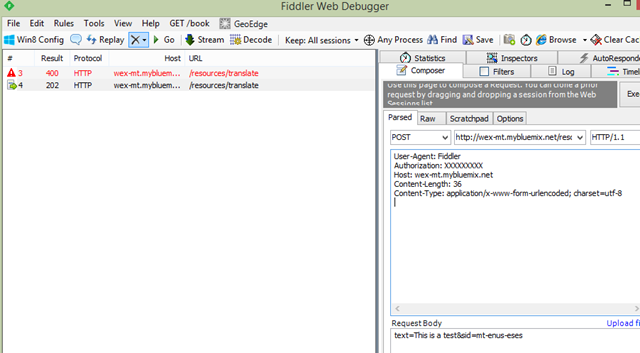
Fortunately, the documentation has some pointers to other projects where people have made their own app.  I used thisthis one as a model and set up Fiddler like so

image

The authorization token is the username and password separated by a colon encoded to base 64.
Sure enough, a 200

image

Setting it up in #FSharp was a snap
1 #r @"C:\Program Files (x86)\Reference Assemblies\Microsoft\Framework\.NETFramework\v4.5\System.Net.Http.dll" 2 #r @"..\packages\Microsoft.AspNet.WebApi.Client.5.2.2\lib\net45\System.Net.Http.Formatting.dll" 3 4 open System 5 open System.Net.Http 6 open System.Net.Http.Headers 7 open System.Net.Http.Formatting 8 open System.Collections.Generic 9 10 11 let serviceName = "machine_translation" 12 let baseUrl = "http://wex-mt.mybluemix.net/resources/translate" 13 let userName = "youNameHere@aol.com" 14 let password = "yourPasswordHere" 15 let authKey = userName + ":" + password 16 17 let client = new HttpClient() 18 client.DefaultRequestHeaders.Authorization <- new AuthenticationHeaderValue("Basic",authKey) 19 20 let input = new Dictionary<string,string>() 21 input.Add("text","This is a test") 22 input.Add("sid","mt-enus-eses") 23 let content = new FormUrlEncodedContent(input) 24 25 let result = client.PostAsync(baseUrl,content).Result 26 let resultContent = result.Content.ReadAsStringAsync().Result

And sure enough

image


You can see the gist here
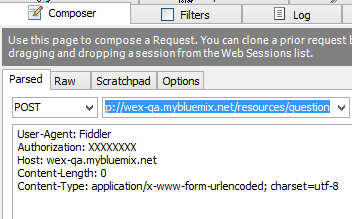
So with that simple call/request under my belt, I decided to look at the api that everyone is talking about, the question/answer api.  I fired up Fiddler again and took a look at the docs.  After some tweaking of the Uri, I got a successful request/response:

image

image

With the answers to an empty question kind interesting. if not head-scratching:

image

So passing in a question:

image

image

So we are cooking with gas.  Back into FSI

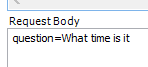
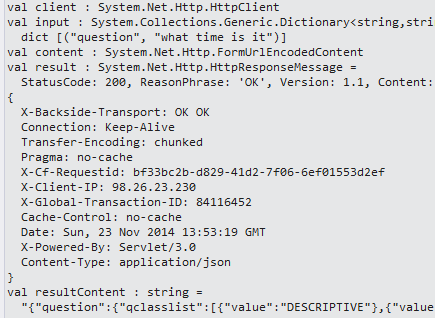
1 #r @"C:\Program Files (x86)\Reference Assemblies\Microsoft\Framework\.NETFramework\v4.5\System.Net.Http.dll" 2 #r @"..\packages\Microsoft.AspNet.WebApi.Client.5.2.2\lib\net45\System.Net.Http.Formatting.dll" 3 4 open System 5 open System.Net.Http 6 open System.Net.Http.Headers 7 open System.Net.Http.Formatting 8 open System.Collections.Generic 9 10 11 let baseUrl = "http://wex-qa.mybluemix.net/resources/question" 12 let userName = "yourName@aol.com" 13 let password = "yourCreds" 14 let authKey = userName + ":" + password 15 16 let client = new HttpClient() 17 client.DefaultRequestHeaders.Authorization <- new AuthenticationHeaderValue("Basic",authKey) 18 19 let input = new Dictionary<string,string>() 20 input.Add("question","what time is it") 21 let content = new FormUrlEncodedContent(input) 22 23 let result = client.PostAsync(baseUrl,content).Result 24 let resultContent = result.Content.ReadAsStringAsync().Result

With the result like so

image

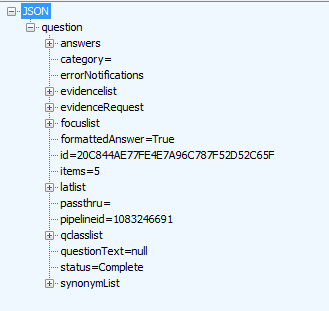
And since it is Json coming back, why not use the type provider?

1 let client = new HttpClient() 2 client.DefaultRequestHeaders.Authorization <- new AuthenticationHeaderValue("Basic",authKey) 3 4 let input = new Dictionary<string,string>() 5 input.Add("question","How can I quit smoking") 6 let content = new FormUrlEncodedContent(input) 7 8 let result = client.PostAsync(baseUrl,content).Result 9 let resultContent = result.Content.ReadAsStringAsync().Result 10 11 type qaResponse = JsonProvider<".\QAResponseJson.json"> 12 let qaAnswer = qaResponse.Parse(resultContent) 13 14 qaAnswer.Question.Answers 15 |> Seq.ofArray 16 |> Seq.iter(fun a -> printfn "(%s)" a.Text)

Here is Watson’s response:

image

You can see the gist here