I finished the factories and the POCOs. I made some changes that simplified the model some – I set up 7 factories for the non-flattened POCOs and 1 factory for a flattened POCO:

I will see if the other flattened POCOs are needed. With enough factories to make me dangerous, I then thought about how to organize the UI. Since this exercise is to help me work though the Architectual features of VS2010, I created an activity diagram based on some of the Use Cases:

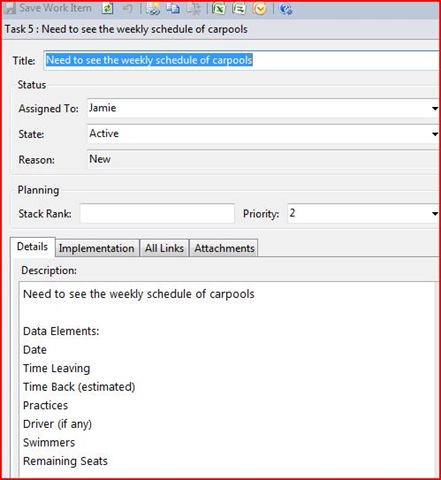
Note how I started documenting business rules. I went back to the Task list for each activity and added both the data elements and the business rules:

I then have enough to launch a tracer bullet that matches how I want the home page to be. The challenge is that the home page will actually show 2 independent grids that use different data elements:
· A list of all practices without a carpool
· A list of all carpools
I don’t know the best way to implement this in MVC. In prior projects, I had 1 controller for the page that handles the “primary” data elements and then some AJAX calls to dynamically populate the remaining grids. Another possible way is to have the page be a composite of 2 independent User Controls. A final way is to have the page controller’s model collection just include both data element sets and refer to each in the collection.
I had already tried Option #1 on a different project and found that it requires too much JavaScript code. I then explored Option #2. I set up my MVC’s project controllers to match the domain model like so:

I then tried to wire up some User Controls for each of the controllers that I could then combine on the Default page. I quickly learned that MVC2 User Controls Are not well supported in the MVC community (30 minutes of Bing/Google/MSDN searches did not give me a specific example of MVC2 User Controls tied together in 1 page). I also realized that I was taking a “bottom-up” approach.
I then revamped my project to take a “top-down” approach. Incidentally, this option seems to be the “happy path” for MVC2. I removed all of the POCO controllers:
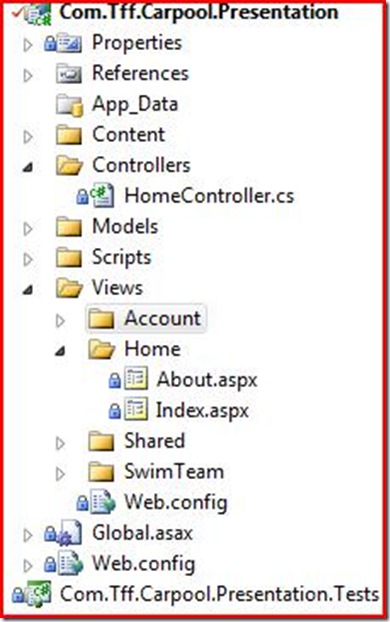
And then added the POCOs that I want on the main page to the ViewModel Collection:
1         public ActionResult Index()
2         {
3             ViewData["Message"] = "Welcome to ASP.NET MVC!";
4             ViewData["CurrentCarpoolSummaries"] = CarpoolSummaryFactory.GetCurrentWeekCarpoolSummaries();
5             ViewData["UncoveredPraciceSummaries"] = PracticeSummaryFactory.GetCurrentWekUncoveredPracticeSummaries();
6
7             return View();
8         }
9
And then wired up the UI:
 1     <table>
 2         <tr>
 3             <th>
 4                 Id
 5             </th>
 6             <th>
 7                 Day
 8             </th>
 9             <th>
10                 Date
11             </th>
12             <th>
13                 Description
14             </th>
15             <th>
16                 Pracitce(s)
17             </th>
18             <th>
19                 Driver
20             </th>
21             <th>
22                 Swimmer(s)
23             </th>
24             <th>
25                 Remaining Seats
26             </th>
27         </tr>
28
29     <% foreach (Com.Tff.Carpool.Domain.CarpoolSummary carpoolSummary in ViewData["CurrentCarpoolSummaries"])
30        { %>
31
32         <tr>
33             <td>
34                 <%: carpoolSummary.Id%>
35             </td>
36             <td>
37                 <%: carpoolSummary.DayDescription%>
38             </td>
39             <td>
40                 <%: carpoolSummary.CarpoolDate%>
41             </td>
42             <td>
43                 <%: carpoolSummary.CarpoolDescription%>
44             </td>
45             <td>
46                 <%: carpoolSummary.PracticeDescription%>
47             </td>
48             <td>
49                 <%: carpoolSummary.DriverDescription%>
50             </td>
51             <td>
52                 <%: carpoolSummary.SwimmerDescription%>
53             </td>
54             <td>
55                 <%: carpoolSummary.RemainingSeats%>
56             </td>
57         </tr>
58
59     <% } %>
60     </table>
61
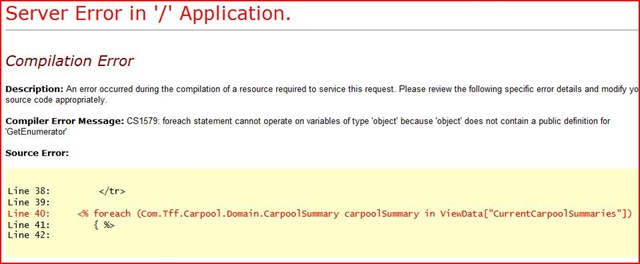
I ran into this problem:

It looks like I need to cast it via the page Inherits method – but I have multiple datasets. I tried ignoring the error – hoping that the object resolves at run time. No such luck:
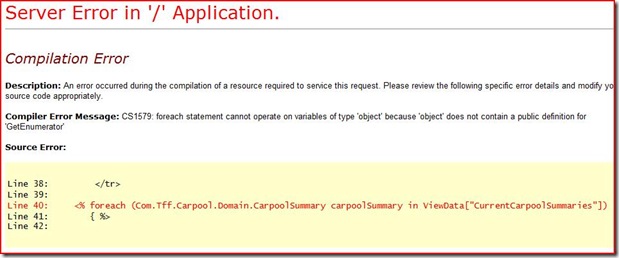
So I went back and casted the model into the proper type:
1 <% foreach (Com.Tff.Carpool.Domain.CarpoolSummary carpoolSummary in (System.Collections.Generic.List<Com.Tff.Carpool.Domain.CarpoolSummary>)ViewData["CurrentCarpoolSummaries"])
And
1 <% foreach (Com.Tff.Carpool.Domain.PracticeSummary uncoveredPracticeSummaries in (System.Collections.Generic.List<Com.Tff.Carpool.Domain.PracticeSummary>)ViewData["UncoveredPraciceSummaries"])
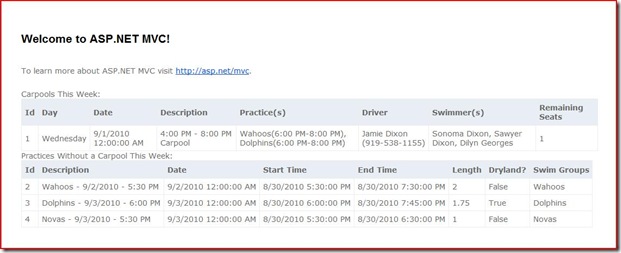
And boom goes the dynamite…











 Jamie Dixon's Home